







 Multi-Vendor & Complex SaaS Marketplaces
 Modern Headless & Jamstack Web Development
 High-End Corporate & Specialized Business Websites
 Advanced API, Checkout & Database Troubleshooting
Fix Linux Disk Space Full Errors & Safely Clean Logs | Remote
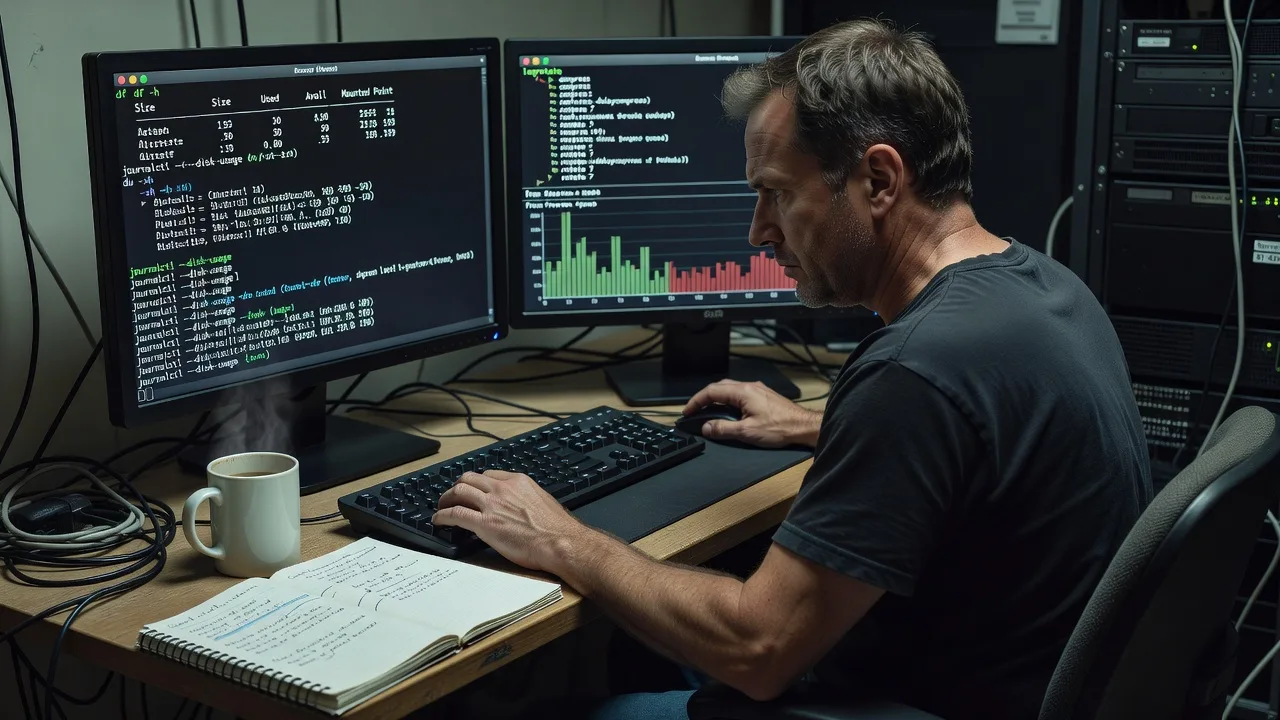
Remote Linux disk-space recovery when servers hit 100% and apps stall.
We diagnose full partitions, reclaim space safely from logs and caches, and leave retention rules so the same outage does not return—ideal for SaaS, clinics, and remote ops teams running production Linux hosts worldwide.
Power up support when you need us: fixwebnode.com.au/contact-support or chat with us for a fixed-scope remote session.
- Safe log rotation & journal vacuum
- Root-cause report, not blind deletes
- Worldwide remote delivery
About this service
Reclaim full Linux disks remotely before outages cascade—safe log cleanup, root-cause fixes, and clear handoff for production hosts worldwide.
What You'll Get
- Full disk triage - Partition map, largest directories, and which mount is actually full (not just /).
- Safe log cleanup - journalctl vacuum, rotated logs, and app log retention without deleting live write handles.
- Cache & leftover purge - apt/yum caches, old kernels, orphaned packages—only after dependency checks.
- Retention hardening - logrotate snippets, systemd-journald limits, and size caps tuned to your growth.
- Space recovery report - Before/after free space, what was removed, and what must never be deleted again.
- Optional monitoring hook - Simple df/inodes alerts so 90% warnings arrive before 100% failures.
Serving Remote & surrounds
This page exists for remote-first infrastructure teams—SaaS startups, multi-clinic telehealth stacks, education LMS hosts, and small MSPs who run Linux VPS or bare metal without a full-time SRE on every box. Demand spikes after quarter-end log retention dumps, Black Friday traffic bursts, and long-running container fleets that never rotate stdout. We work fully remote worldwide; on-site only where practical for locked datacentre handoffs.
- Cloud VPS fleets for subscription SaaS hitting inode or /var exhaustion overnight
- Clinic and education Linux hosts filling after verbose audit or application debug flags left on
- Remote session via secure SSH/bastion—no invented local shop; worldwide delivery with clear change windows
How We Work
- Step 1: Reach Out - Share df -h output, OS version, and whether the host is production; we listen first and flag risky paths.
- Step 2: Tailored Plan - Fixed quote for triage-only, clean-and-harden, or multi-host fleet work—no open bidding.
- Step 3: We Deliver - Remote SSH session: identify culprits, free space safely, apply retention, restart only what is needed.
- Step 4: Confirm & Follow-up - Plain-English summary, commands used, optional maintenance check after the next log cycle.
Common Issues & How to Fix Them
These are patterns we see repeatedly on real production Linux boxes—not generic “delete /tmp” advice.
systemd-journald ballooning under /var/log/journal
Disk shows full on /var while du on classic log files looks small; services fail with “No space left on device” even though you never touched Apache logs.
- Step 1: Run journalctl --disk-usage and df -h /var; confirm journal is multi-gigabyte and vacuum is not capped.
- Step 2: Vacuum safely with journalctl --vacuum-size=500M (or a size matching your audit needs), then set SystemMaxUse in /etc/systemd/journald.conf and restart systemd-journald.
- Step 3: Re-check disk-usage and free space; confirm new journal growth stays under the cap after a busy hour.
Application or container logs writing to a deleted-but-open file
df shows full, du on the path looks fine, and lsof | grep deleted reveals a multi-GB handle still held by a long-running process—classic after a “rm big.log” without restart.
- Step 1: Identify with lsof +L1 or lsof | grep '(deleted)' on the full mount; note PID and size.
- Step 2: Prefer truncate via truncate -s 0 /proc/PID/fd/N or graceful service reload/restart so the process opens a new file; avoid killing databases mid-write.
- Step 3: Confirm free space returns and the deleted handle disappears from lsof; add logrotate with copytruncate or proper reopen signals going forward.
Package cache + old kernels quietly eating /usr or /boot
After months of unattended upgrades, /boot is 100% (kernel install fails) or /var/cache holds multi-GB of.deb/.rpm files nobody planned to keep.
- Step 1: List installed kernels and free space on /boot; on Debian/Ubuntu check dpkg -l 'linux-image*' and du -sh /var/cache/apt.
- Step 2: Remove only unused kernels (keep the running one plus one fallback), then apt-get clean / dnf clean all as appropriate—never autoremove blindly on appliances without a dry-run.
- Step 3: Re-run update-grub if needed, confirm the host still boots the current kernel concept (or schedule a controlled reboot), and verify /boot has headroom for the next kernel.
When DIY is not enough (urgent, unsafe, recurring, or burning time), book Fixwebnode for direct professional support—no freelancers, bidding, or marketplace noise.
Why Choose Fixwebnode
We are a direct remote Linux provider: we SSH in, fix the full disk, and document what not to delete next time. You get infrastructure-grade caution with plain language for whoever owns the box after we leave.
- ✓ Production-safe cleanup (open-file and inode aware, not “rm -rf /var/log”)
- ✓ Fixed-scope remote packages with before/after evidence
- ✓ Retention and alert guidance so the same 3 a.m. page does not repeat
Tools & Technologies
SSH/bastion access, bash diagnostics (df, du, ncdu, lsof, find), journalctl & systemd-journald, logrotate, rsyslog/syslog-ng, apt/dnf/yum, Docker/container log drivers when relevant, inode checks, optional Prometheus node_exporter or simple cron df alerts, and plain-text runbooks for your team.
Perfect For
SaaS and agency ops leads, clinic/telehealth Linux admins, education platform hosts, and small businesses whose VPS or dedicated server just hit 100% and stopped writing logs or databases. Ideal when you need a direct specialist to free space safely and harden retention—not a marketplace auction for “someone who knows Linux.”
Ready when the disk is red: reach us via fixwebnode.com.au/contact-support or chat for a remote session window.
Choose a package
Single-host remote triage and safe space recovery with a short before/after report.
Full cleanup plus logrotate/journald hardening and root-cause notes for one production host.
Multi-host or high-stakes fleet pass with monitoring hooks and follow-up verification window.
FAQ
You grant temporary SSH or bastion access during an agreed window. We diagnose which mount and paths are full, free space safely, apply retention fixes, and return a plain-English report. No on-site visit is required for standard VPS or cloud hosts; on-site is only discussed where physical access is truly needed.
No. We prioritise journals, rotated logs, package caches, and confirmed safe leftovers. Live databases, user uploads, and active write handles are protected. If a large path looks like business data, we flag it and wait for your explicit go-ahead.
That usually means retention was never capped or a process still holds a deleted file. Standard and Premium include journald/logrotate limits and guidance to stop the repeat. Premium adds a follow-up check after the next busy log cycle so we can confirm growth is under control.



