







 Multi-Vendor & Complex SaaS Marketplaces
 Modern Headless & Jamstack Web Development
 High-End Corporate & Specialized Business Websites
 Advanced API, Checkout & Database Troubleshooting
Fix Broken Shopify Product Variations & Missing Images | Remote
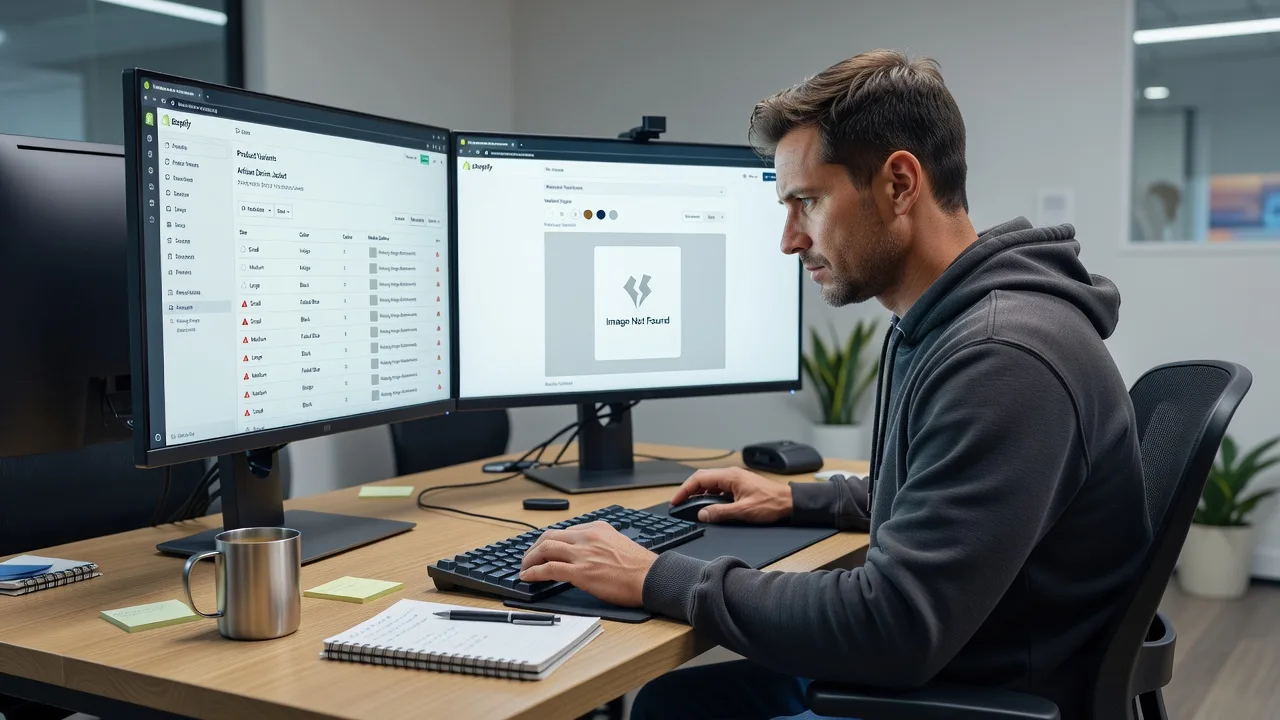
Restore clean Shopify variants and product images for remote DTC and multi-SKU stores worldwide.
We repair broken size/colour matrices, orphaned media, and listing gaps that kill conversions—especially before seasonal drops and catalogue refreshes. Direct Fixwebnode support, fixed scopes, plain-English handoff.
Need help now? Contact support or chat with us to power up your store recovery.
- Variant option & SKU matrix repair
- Missing / mismatched product image fixes
- Remote delivery for merchants anywhere
About this service
We repair broken product variations and missing images on Shopify so remote multi-SKU merchants can sell complete, trustworthy listings again—without guesswork or broken option pickers.
What You'll Get
- Variant matrix audit - We map options, values, SKUs, and inventory links so colour/size grids stop showing blanks or wrong stock.
- Missing image recovery - Reattach, re-upload, and order gallery media so every variant shows the right photo on PDP and collection cards.
- Option & metafield cleanup - Remove duplicate options, ghost values, and theme conflicts that break swatches and dropdowns.
- Bulk CSV / admin fixes - Safe bulk updates for large catalogues with validation before and after import.
- Theme display check - Confirm variant selectors, image swap behaviour, and mobile PDP rendering after the repair.
- Plain-English handoff - What we changed, how to maintain it, and what to watch on the next product drop.
Serving Remote & surrounds
This service is built for online-first brands operating worldwide: fashion and apparel DTC, beauty kits with shade grids, sporting goods with size runs, and seasonal catalogue sellers who refresh inventory in waves. Delivery is remote-first so you get specialist Shopify repair without waiting on a local shop visit. On-site is available only where practical for larger operational setups.
- Apparel and footwear brands with dense size/colour matrices before campaign launches
- Beauty and wellness catalogues where shade or kit images must match each variant exactly
- Remote store ops teams needing after-hours fixes ahead of weekend traffic spikes
How We Work
- Step 1: Reach Out - Share your store URL (or collaborator access plan), sample broken products, and whether the pain is variants, images, or both. We listen first and note urgency around launches or ads spend.
- Step 2: Tailored Plan - You receive a fixed-scope quote: how many products/variants, image work included, and any theme or app dependencies. Clear path for both technical repair and patient walkthrough if your team needs coaching.
- Step 3: We Deliver - We fix the catalogue remotely—admin, CSV, media library, and front-end checks—while keeping your live store stable. Optional screen-share for non-technical staff.
- Step 4: Confirm & Follow-up - You verify key PDPs with us, we document the fix, and you can book light maintenance or a next-session catalogue health check.
Common Issues & How to Fix Them
These are the Shopify variant and image failures we see constantly on multi-option catalogues—and how to triage them before they burn ad spend.
Variant options show on admin but the storefront picker is empty or stuck
Usually a mismatch between option names/values, a theme that expects a specific option order, or an app overwriting the product form after a bulk edit.
- Step 1: Open one broken product in Shopify admin → Variants. Confirm every combination that should sell exists, has a unique SKU/barcode if you rely on them, and is not marked unavailable by accident.
- Step 2: In Online Store → Themes, preview the product on a duplicate theme. Temporarily disable recently added product-option or swatch apps one at a time to see if the native picker returns.
- Step 3: Verify by switching each option on the live (or preview) PDP: every combination should change availability and price correctly. If admin is fine but the theme is not, stop DIY and book a theme/form repair.
Colour or size variants load the wrong photo (or a grey placeholder)
Common after CSV imports, app migrations, or when featured images were set on the parent product only—variant media was never linked, so the theme falls back to the first gallery shot.
- Step 1: On the product, open Media. Confirm each variant-critical image is uploaded and not only sitting in Files unused. Note filenames so you can match shade/size names.
- Step 2: For each variant row, use “Edit” (or variant media assignment in newer admin) to attach the correct image. Avoid relying on alt-text alone—assignment must be explicit for most themes’ image-swap scripts.
- Step 3: On the storefront, select each option and confirm the hero image swaps. Check mobile too; some themes lazy-load a different image set and expose missing links only on small screens.
Bulk upload created duplicate options, ghost values, or “unavailable” everywhere
Spreadsheets often introduce trailing spaces, mixed case (“Blue” vs “blue”), or extra columns that Shopify treats as new options—leaving inventory split across lookalike variants customers never see.
- Step 1: Export products to CSV. Filter option columns and scan for near-duplicates (spacing, capitalisation, spelling). Do not re-import until the sheet is normalised.
- Step 2: Merge true duplicates in admin or with a cleaned CSV: one canonical option name/value set, consolidated inventory quantities, and deleted orphan variants that hold zero sellable stock.
- Step 3: Re-test search, collections, and a cart add for three representative SKUs. If inventory still “disappears” after merge, inventory locations or channel publishing—not just options—need a specialist pass.
When DIY is not enough (urgent, unsafe, recurring, or burning time), book Fixwebnode for direct professional support—no freelancers, bidding, or marketplace noise.
Why Choose Fixwebnode
We are a direct provider: enterprise-grade Shopify and storefront repair paired with patient, jargon-free guidance for the people who actually run the catalogue day to day. You work with us on a fixed scope—not a bid board—so launch timelines stay predictable.
- ✓ Hands-on experience cleaning large multi-option catalogues without breaking live traffic
- ✓ Remote delivery worldwide with clear collaborator access and rollback-minded changes
- ✓ Technical fixes plus human walkthroughs so your team can maintain variants and media after handoff
Tools & Technologies
Shopify Admin, Shopify CSV import/export, theme product-form and media settings, metafields where variants depend on them, image compression and naming conventions for CDN delivery, collaborator access workflows, browser dev tools for PDP option/image swap checks, and optional app conflict isolation (swatches, multi-option, inventory sync) without reckless uninstalls.
Perfect For
Remote Shopify merchants with dense product grids—fashion, beauty, kits, and equipment catalogues—where broken variants or missing images quietly destroy conversion and support tickets. Ideal when your team needs infrastructure-level catalogue repair plus calm, clear coaching so ops staff can keep listings healthy after the fix. Available remotely worldwide; on-site only where practical.
Ready to restore clean variants and complete galleries? Go to fixwebnode.com.au/contact-support or chat with us to start your fixed-scope repair.
Choose a package
Targeted repair for up to 15 products: broken variants or missing images with storefront verification.
Catalogue-level fix for up to 60 products including option cleanup, media assignment, and theme display check.
Full multi-SKU recovery for large catalogues: bulk matrix repair, media rebuild, app/theme conflict isolation, and follow-up health check.
FAQ
We deliver this service remotely worldwide. You grant collaborator or agreed admin access, we repair variants and images on your live or staged theme workflow, and we hand back a plain-English summary. On-site help is only where practical for larger operational setups—not required for standard catalogue fixes.
Most repairs are done product-by-product or via controlled CSV with validation, so the store stays open. For high-risk bulk changes we recommend a theme duplicate or off-peak window. We avoid reckless app uninstalls and keep a clear record of what changed so you can roll back specific products if needed.
Typically a Shopify collaborator invite with products, themes, and settings permissions (minimum needed for the agreed scope). Share 3–5 example broken PDPs, whether the issue started after an import/app/theme change, and any launch deadline. We confirm scope and a fixed quote before work begins.
Yes. Standard and Premium include a short walkthrough covering how to attach variant media correctly, naming conventions that prevent mix-ups, and a simple pre-publish checklist. We keep the language practical so catalogue or customer-service team members can follow it without developer jargon.



