






 Multi-Vendor & Complex SaaS Marketplaces
 Modern Headless & Jamstack Web Development
 High-End Corporate & Specialized Business Websites
 Advanced API, Checkout & Database Troubleshooting
Discount Code & Coupon Logic Error Repair | Remote
Stop lost sales from broken discount codes, stacking bugs, and coupon rules that fail at checkout—repaired remotely worldwide.
We diagnose cart, promo-engine, and payment-flow logic so flash sales, loyalty codes, and free-shipping offers apply exactly as you intended. Ideal for growing e-commerce, subscription, and seasonal campaign stores that cannot afford silent coupon failures.
Need hands-on help fast? Call 0421498927 or reach us at fixwebnode.com.au/contact-support to book direct repair support.
- Root-cause fix, not temporary workarounds
- Clear handoff notes for your team
- Remote delivery with optional follow-up checks
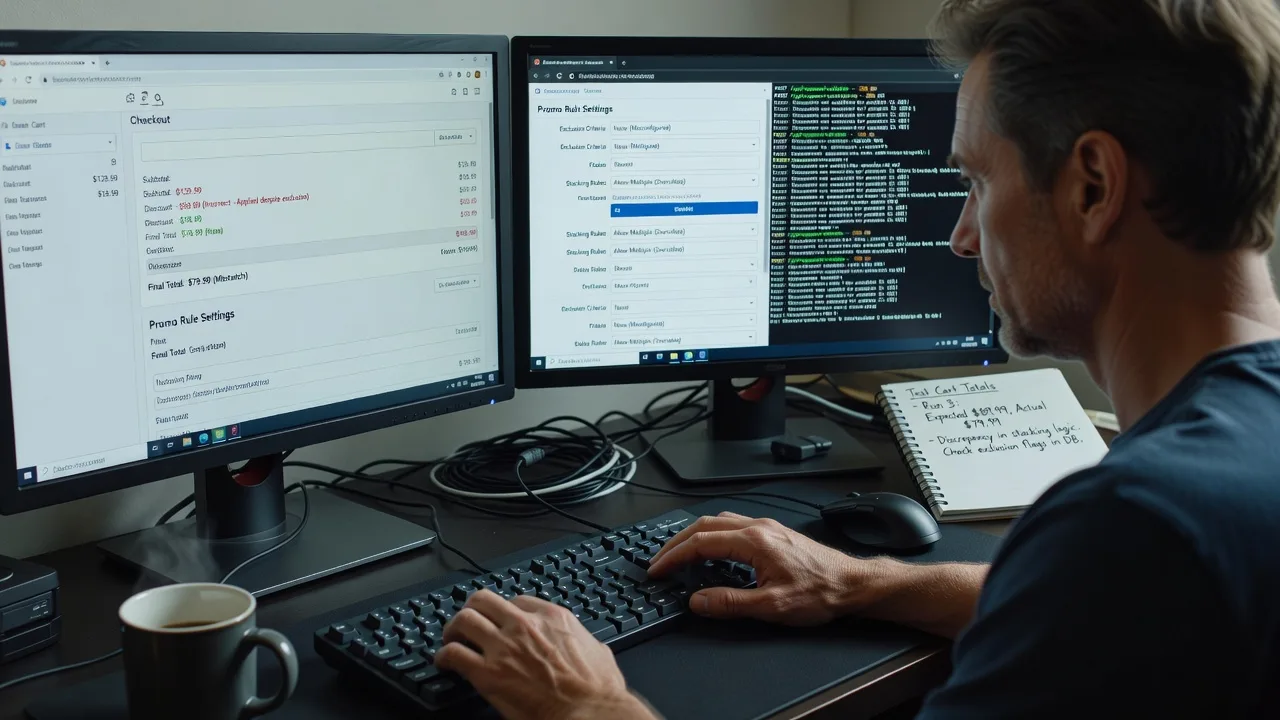
About this service
We repair discount-code and coupon-system logic errors so promotions apply correctly at cart and checkout for remote e-commerce, subscription, and campaign-driven stores worldwide. When a code works in staging but fails live—or stacks when it should not—we trace the rule engine, totals pipeline, and edge cases until the behaviour matches your policy.
What You'll Get
- Logic audit of promo rules - Eligibility, exclusions, stacking, usage limits, and customer-segment conditions reviewed end-to-end.
- Cart & checkout totals repair - Percentage, fixed, free-shipping, BOGO, and tiered offers recalculated against tax, shipping, and discounts order.
- Timezone & validity window fixes - Start/end times, UTC vs store timezone, and schedule drift that lets expired codes slip through.
- Race-condition and reuse hardening - One-time and per-customer codes protected against double-redeem and concurrent checkout abuse.
- Regression test checklist - Concrete carts to re-run after deploy so future campaigns do not reopen the same bug.
- Plain-English handoff - What broke, what we changed, and how your team monitors the next sale.
Serving Remote & surrounds
This service is built for merchants and ops teams who sell online across regions and peak seasons—not a walk-in shopfront. Flash-sale weekends, end-of-financial-year clearance, and multi-currency catalogue updates create the same class of coupon failures whether your warehouse is local or distributed. We work fully remote with screen-share diagnostics and secure access only when needed.
- Direct-to-consumer brands running time-boxed influencer codes during product drops
- Subscription and membership stores where renewal coupons must never stack with welcome offers
- Worldwide remote delivery; on-site pairing only where practical for your stack
How We Work
- Step 1: Reach Out - You describe the failing code, store platform, and what customers see (wrong total, rejected code, free shipping missing). We listen first and capture logs or screenshots.
- Step 2: Tailored Plan - Fixed-scope quote for the repair path: single-rule fix, multi-promo audit, or full promo-engine hardening with test cases.
- Step 3: We Deliver - Remote diagnosis of rule evaluation order, cart modifiers, and API/checkout hooks; we implement the fix and verify against real cart scenarios.
- Step 4: Confirm & Follow-up - Plain-English summary, optional monitoring window around your next campaign, and guidance if you add new coupon types later.
Common Issues & How to Fix Them
These are failure patterns we see repeatedly on live stores—not generic "clear cache" advice. Use the safe checks below; escalate when revenue is on the line.
Code accepts on product page but total ignores the discount at payment
Often the storefront validates the coupon early, while the checkout service recalculates from a stale cart snapshot or applies discounts after tax/shipping in the wrong order.
- Step 1: Place the same SKU in cart twice—once with the code applied on the product page, once applied only at checkout—and note both subtotal, tax, shipping, and grand total lines.
- Step 2: In admin, confirm the coupon’s apply-to scope (order vs line items), excluded categories, and whether "apply once" is set; disable other automatic promotions temporarily so only this code is active.
- Step 3: Re-run checkout and verify the discount line appears before payment authorisation and that the charged amount matches the on-screen total within one cent.
Two percentage coupons stack when policy says "highest only"
Stacking flags are sometimes read only for automatic rules, while manual codes bypass the combiner—especially after a platform upgrade that changed default combine behaviour.
- Step 1: Create a clean test customer and cart with a known base price; apply coupon A alone, then B alone, and record each final total.
- Step 2: Apply A then B together and compare against the higher single discount; if both reduce the base, open each coupon’s combine/stack settings and set non-combinable (or priority) explicitly—do not rely on legacy defaults.
- Step 3: Repeat with reversed apply order (B then A). Good behaviour: only one discount remains and the total is identical regardless of order.
Expired or not-yet-valid codes still redeem around midnight or overseas traffic
Validity windows stored in UTC while the admin UI shows store-local time—or cron cleanup of expired codes lagging—let night-owl and multi-region shoppers redeem outside the campaign window.
- Step 1: Note your store timezone setting and the coupon’s start/end as shown in admin; convert both to UTC and compare to the server/clock used by the checkout API.
- Step 2: Set a short test window (e.g. ends in 10 minutes), attempt redeem one minute before and one minute after end using a private browser session; if after-end still works, the evaluator is using the wrong clock or caching eligibility.
- Step 3: After correcting timezone or end bound, flush promo/eligibility cache if your stack has one, then confirm post-end attempts return a clear expired message and do not reduce the cart.
When DIY is not enough (urgent, unsafe, recurring, or burning time), book Fixwebnode for direct professional support—no freelancers, bidding, or marketplace noise.
Why Choose Fixwebnode
We are a direct provider: the same specialist who diagnoses your promo engine implements the fix and explains it in plain language. You get infrastructure-grade care for the rule logic plus human-clear guidance for marketing and support staff who live inside the coupon admin daily.
- ✓ Hands-on experience with cart-rule order, tax-inclusive vs exclusive discount math, and checkout race conditions
- ✓ Fixed-scope packages so campaign owners know cost and timeline before peak sale windows
- ✓ Remote-first delivery with documented test carts your team can reuse every launch
Tools & Technologies
WooCommerce / Shopify / Magento / custom cart APIs; coupon and price-rule engines; order totals pipelines; PHP, Node, or Python service layers; SQL/admin queries for usage and redemption logs; browser devtools network traces; Postman or similar for checkout API replay; Git-based change review; staging-to-production promote checklists. We match the stack you already run rather than forcing a rewrite.
Perfect For
Online retailers, subscription brands, education and training shops selling course bundles, clinics or small businesses with seasonal telehealth or product promos, and ops teams tired of "it worked yesterday" coupon tickets. If you need the discount system correct before the next campaign—not a pile of marketplace proposals—this remote repair path is built for you.
Ready to stabilise codes before the next drop? Call 0421498927 or use fixwebnode.com.au/contact-support and we will map the failing path with you.
Choose a package
Single failing coupon or rule path diagnosed and repaired with verified test cart.
Multi-rule audit covering stacking, validity windows, and checkout totals with regression checklist.
Full promo-engine hardening for campaign season: race conditions, reuse limits, tax/shipping order, and team handoff.
FAQ
We connect securely to staging and production (with your approval), reproduce failing carts in your currency and timezone settings, and patch the rule logic where it actually evaluates. Delivery is remote worldwide; we only suggest on-site pairing when your infrastructure or compliance requires it.
Share the coupon codes that fail, expected vs actual totals, platform (for example WooCommerce or Shopify), recent rule changes, and whether tax is inclusive. Screenshots of cart and payment step plus admin rule settings speed diagnosis without guesswork.
Basic and Standard focus on repairing the broken paths and aligning rules with your policy. Premium adds broader hardening and a runbook. We avoid unnecessary rewrites; if architecture work is required, we scope it clearly before any extra build.
Yes—tell us the go-live window when you reach out. We prioritise validity windows, stacking, and checkout totals first so codes behave under load, then leave you a short checklist to re-verify after deploy.



