







 Multi-Vendor & Complex SaaS Marketplaces
 Modern Headless & Jamstack Web Development
 High-End Corporate & Specialized Business Websites
 Advanced API, Checkout & Database Troubleshooting
Convert Figma, Adobe XD & Canva Designs to WordPress | Remote
Turn polished Figma, Adobe XD, or Canva web layouts into clean, production-ready WordPress sites—delivered remotely worldwide.
We rebuild your frames as pixel-faithful themes and Gutenberg blocks so course creators, L&D teams, and product marketers launch without design drift. Fixed-scope builds, responsive QA, and handoff docs included.
Need a scoped quote or a quick design review? Contact support at fixwebnode.com.au/contact-support or chat with us to start.
- Design-to-code fidelity checks
- Remote delivery with optional live walkthrough
- Direct provider—no bidding layers
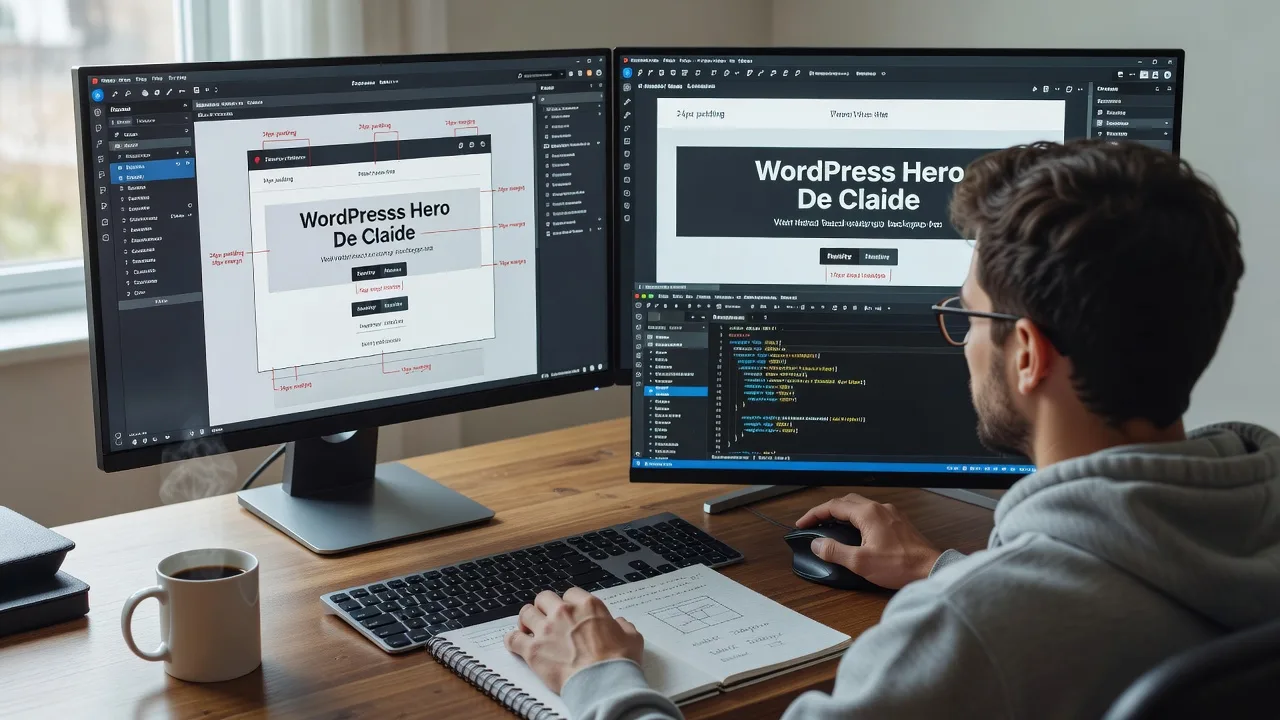
About this service
We convert Figma, Adobe XD, and Canva web designs into stable WordPress sites for remote teams who need launch-ready pages without rebuilding from scratch. Ideal when your mockups already sell the story and you only need production code, CMS structure, and reliable performance.
What You'll Get
- Pixel-aware WordPress build - Sections mapped from your frames into theme templates or block patterns with spacing, type scale, and component states preserved.
- Responsive behaviour lock-in - Breakpoints aligned to your design file so mobile/tablet stacks match intent, not guesswork.
- Editable content model - ACF, native blocks, or lightweight custom fields so marketers update copy without breaking layout.
- Asset pipeline clean-up - SVG/WebP optimisation, font loading strategy, and icon sets exported the way WordPress expects.
- QA against source frames - Side-by-side review notes covering spacing deltas, hover states, and form behaviour.
- Launch handoff - Staging URL, brief editor guide, and optional maintenance path after go-live.
Serving Remote & surrounds
This service is built for worldwide remote delivery—especially edtech operators, corporate learning teams, and boutique agencies who prototype in Figma or Canva then need a WordPress shell that can host courses, lead magnets, or campaign hubs. Time-zone friendly handoffs keep reviews moving without on-site travel. On-site workshops remain available where practical for stakeholder walkthroughs.
- Online course and micro-credential brands shipping season-driven enrolment landing pages
- Distributed product-marketing teams converting XD prototype kits into campaign microsites before quarterly launches
- Remote-first agencies needing a single technical partner to implement client Canva web concepts without multi-vendor coordination
How We Work
- Step 1: Reach Out - Share Figma/XD/Canva links, target WordPress stack (classic theme, block theme, or builder constraints), and must-have interactions. We listen first and flag conversion risks early.
- Step 2: Tailored Plan - You receive a fixed-scope quote: pages in scope, animation level, form integrations, and delivery window—no open-ended hourly surprises.
- Step 3: We Deliver - We implement on staging, match components to frames, wire forms/analytics, and run responsive checks across major viewports.
- Step 4: Confirm & Follow-up - Joint review, plain-English handoff, revision pass per package, then optional care plan for updates after launch.
Common Issues & How to Fix Them
These are conversion problems we see repeatedly when design files meet WordPress—use the steps below before they stall your launch.
Auto-layout gaps collapse into uneven section rhythm on WordPress
Design tools keep consistent padding via auto-layout; WordPress themes often inject default block margins that stack and look "off" even when colours match.
- Step 1: In DevTools, inspect the section wrapper and note computed margin-top/margin-bottom versus your Figma spacing tokens.
- Step 2: Override theme block gap with a scoped CSS custom property (e.g. section-level --block-gap) instead of random per-block margin hacks.
- Step 3: Flip between design frame and browser at the same width; if vertical cadence matches within ~4px, the rhythm is locked.
Canva exports look sharp on desktop but soft or stretched on retina mobile
Canva often outputs fixed-resolution PNGs sized for the artboard, so mobile DPR scaling blurs hero imagery and logos.
- Step 1: Re-export critical graphics at 2× the largest display width you need, or prefer SVG for logos/icons.
- Step 2: Serve with srcset/WebP (or an optimisation plugin) and set explicit width/height to stop layout shift.
- Step 3: Check on a high-DPI phone; edges should stay crisp and CLS should remain near zero on reload.
Sticky headers and overlapping mega-menus fight the theme chrome
XD/Figma prototypes ignore WordPress admin bars, cookie banners, and plugin-injected headers, so sticky navs jump or cover CTAs after install.
- Step 1: Measure combined height of WP admin bar (if logged in), theme header, and any consent banner on staging.
- Step 2: Set header offset with a CSS variable tied to those heights; avoid hard-coded top:0 stickies when plugins can inject UI.
- Step 3: Scroll test logged-in and logged-out states—first section headline must remain fully visible under the sticky stack.
When DIY is not enough (urgent, unsafe, recurring, or burning time), book Fixwebnode for direct professional support—no freelancers, bidding, or marketplace noise.
Why Choose Fixwebnode
We implement the build ourselves as a direct technical provider, blending infrastructure-grade WordPress practice with clear communication for non-developer stakeholders. Remote delivery is the default, with structured reviews so design intent survives CMS reality.
- ✓ Hands-on conversion experience across Figma component libraries, XD prototype kits, and Canva web layouts
- ✓ Fixed package scopes with staging QA—not open marketplace bidding
- ✓ Editor-friendly handoffs so your team ships content updates without breaking the design system
Tools & Technologies
Figma Dev Mode / inspect specs, Adobe XD handoff, Canva export pipelines, WordPress block themes & classic themes, Advanced Custom Fields, Gutenberg patterns, mild custom CSS/JS, Local/staging environments, Chrome DevTools responsive + Lighthouse checks, WebP/SVG asset prep, Contact Form 7 or native form stacks, basic WooCommerce landing sections when in scope.
Perfect For
Course platforms, training businesses, SaaS marketing teams, and remote agencies that already own strong visual designs and need a dependable WordPress implementation. If your frames are approved and you want a direct builder—not a multi-vendor relay—this service is scoped for you. Available remotely worldwide; on-site where practical.
Ready to move from approved mockups to a live WordPress site? Reach out via fixwebnode.com.au/contact-support or chat with us for a fixed quote.
Choose a package
Convert one key landing page from Figma, XD, or Canva into a responsive WordPress section set on staging.
Multi-section marketing site conversion with editable fields, forms, and cross-breakpoint QA.
Full design-system style WordPress build with reusable patterns, advanced interactions, and launch support.
FAQ
Yes. We deliver remotely worldwide with staged previews and structured review calls. On-site sessions are available where practical for stakeholder workshops, but most Figma/XD/Canva conversions complete entirely online without travel delays.
We accept Figma (preferred with Dev Mode access), Adobe XD cloud links, and Canva design shares. Please grant view access, include any prototype interactions, and note licensed fonts. If assets are missing exports, we will list what we need before build day.
Yes. Standard and Premium packages structure content with blocks or fields so non-developers can update headlines, images, and FAQs without breaking layout. We include a short editor guide and can walk your team through the CMS on a handoff call.



