







 Multi-Vendor & Complex SaaS Marketplaces
 Modern Headless & Jamstack Web Development
 High-End Corporate & Specialized Business Websites
 Advanced API, Checkout & Database Troubleshooting
Configure UFW or Firewalld Firewall on Ubuntu Linux Remote
Lock down your Ubuntu servers with production-ready UFW or Firewalld rules—delivered remotely worldwide.
We harden ports, SSH, and service allow-lists for SaaS, clinics, and remote ops teams so open defaults and lockouts stop eating uptime. Clear fixed scopes, change notes, and a verified allow-path before anything is applied.
Need this done right the first time? Chat with us or book via fixwebnode.com.au/contact-support.
- UFW & Firewalld policy design
- SSH-safe rollout with rollback plan
- Remote delivery with plain-English handoff
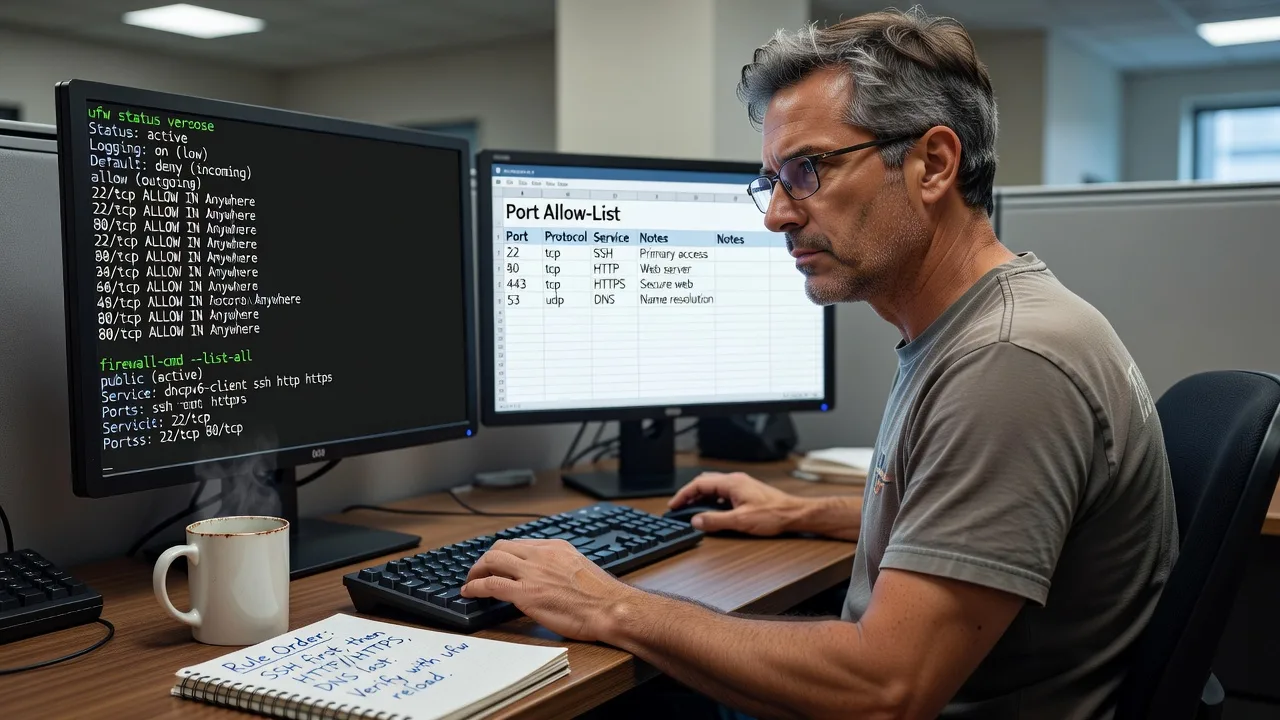
About this service
Get Ubuntu firewalls configured correctly the first time—UFW or Firewalld policies that protect production without locking you out, delivered remotely for teams worldwide. We design, apply, and verify rules against your real services so open defaults, noisy scanners, and accidental blocks stop becoming overnight incidents.
What You'll Get
- Baseline firewall audit - Live review of listening ports, current rules, and exposure before any change
- UFW or Firewalld policy design - Explicit allow-lists for SSH, web, databases, mail, and admin paths matched to your stack
- Safe remote rollout - Ordered apply sequence with a confirmed out-of-band access path and rollback steps
- Service-aware zones & rich rules - Firewalld zones/services or UFW app profiles tuned for reverse proxies, Docker hosts, and API gateways
- Logging & verification pack - Status output, denied-sample checks, and a plain-English change summary for your runbook
- Optional rate-limit & fail2ban alignment - Coordinate firewall rate limits with SSH hardening where it actually helps
Serving Remote & surrounds
This is a remote infrastructure service for operators who run Ubuntu on cloud VMs, colo boxes, and hybrid office gateways—not a walk-in shop page. Demand spikes when teams launch public APIs, move clinics onto telehealth stacks, or harden seasonal campaign sites before traffic peaks. We work async-friendly across time zones with scheduled windows for rule flips.
- SaaS and agency VPS fleets that need consistent UFW baselines across staging and production
- Healthcare and education hosts exposing portals where only specific CIDRs and ports should remain open
- Worldwide remote delivery standard; on-site only where practical for rack-side console work
How We Work
- Step 1: Reach Out - Share OS version (Ubuntu release), UFW vs Firewalld preference, public services, and how you reach the box if SSH drops
- Step 2: Tailored Plan - Fixed-scope quote with rule matrix, change window, and success checks—no hourly surprise bills for baseline hardening
- Step 3: We Deliver - Remote session: audit, draft rules, apply in a safe order, test connectivity from your side and ours
- Step 4: Confirm & Follow-up - Handoff doc with commands used, how to add a port later, and optional maintenance if fleets grow
Common Issues & How to Fix Them
These are patterns we still see on Ubuntu hosts that looked “secured” after a quick tutorial paste:
SSH lockout after enabling UFW with only HTTP allowed
Happens when someone runs default deny incoming, allows 80/443, enables UFW, then discovers port 22 was never allowed—and the only session dies.
- Step 1: From console/VNC/provider serial (not SSH), run sudo ufw status verbose and confirm whether OpenSSH or 22/tcp is listed as ALLOW.
- Step 2: Add the rule before anything else: sudo ufw allow OpenSSH (or sudo ufw allow 22/tcp), then sudo ufw reload. If UFW is inactive, enable only after SSH is allowed.
- Step 3: Open a second SSH session from a fresh terminal; only close the first session after the new login succeeds and ufw status still shows SSH allowed.
Firewalld “works” until reboot because the runtime zone never became permanent
Common on Rocky/Ubuntu hosts using firewalld when rich rules or port opens were applied with --permanent omitted, or permanent was set but firewall-cmd --reload never ran cleanly.
- Step 1: Compare runtime vs permanent: sudo firewall-cmd --list-all then sudo firewall-cmd --permanent --list-all and note missing services/ports.
- Step 2: Re-add the needed allows with --permanent (e.g. sudo firewall-cmd --permanent --add-service=https), then sudo firewall-cmd --reload.
- Step 3: Reboot in a maintenance window or restart firewalld and re-check --list-all; confirm external probes only hit intended listeners.
Docker or reverse-proxy ports still reachable despite UFW deny
Docker manipulates iptables/nft directly; UFW’s default chains often never see published container ports the way admins expect, so scanners still hit 0.0.0.0 bindings.
- Step 1: Run ss -tulpn and docker ps to list real publish flags; note anything bound to 0.0.0.0 vs 127.0.0.1.
- Step 2: Prefer binding containers to localhost and proxying via nginx/Caddy on host ports you explicitly allow in UFW, or implement a documented DOCKER-USER chain policy—do not assume UFW alone filters Docker DNAT.
- Step 3: From an external host, re-scan only the intended public ports; internal-only services should refuse connection from the public IP.
When DIY is not enough (urgent, unsafe, recurring, or burning time), book Fixwebnode for direct professional support—no freelancers, bidding, or marketplace noise.
Why Choose Fixwebnode
We configure Ubuntu firewalls as the operator doing the work—not a bid board. You get infrastructure-grade rule design with human handoff notes your team can actually maintain after we disconnect.
- ✓ Direct provider for UFW and Firewalld on Ubuntu cloud and hybrid hosts
- ✓ SSH-safe change order with rollback thinking baked into every enable
- ✓ Fixed package scopes and plain-English verification—call 0421498927 or use fixwebnode.com.au/contact-support
Tools & Technologies
Ubuntu LTS (20.04/22.04/24.04), UFW, Firewalld, firewall-cmd, nftables/iptables backends, OpenSSH, nginx/Caddy reverse proxies, Docker publish patterns, fail2ban coordination, ss/netstat, tcpdump for deny verification, cloud security groups alignment (AWS/GCP/Azure) alongside host firewalls.
Perfect For
DevOps-light SaaS teams, MSPs tidying client VPS fleets, clinics and education portals on Ubuntu, and small businesses exposing customer apps who need a correct allow-list—not a copied blog snippet. Ideal when you want one accountable specialist to harden the host firewall remotely and leave you with rules you understand.
Choose a package
Single Ubuntu host: audit listening ports and apply a safe UFW or Firewalld baseline with SSH protected.
Production host hardening with service allow-lists, logging checks, and a written rule matrix for one primary server.
Multi-service or small fleet firewall design including Docker/proxy pitfalls, rate-limit alignment, and rollback playbook.
FAQ
We deliver Ubuntu UFW and Firewalld configuration remotely worldwide over SSH or your preferred secure session. On-site is only used where practical for console-only recovery. Share provider serial/VNC details if lockout risk is high so we can plan a safe window.
UFW is the simpler default on many Ubuntu servers and is excellent for straightforward allow-lists. Firewalld fits hosts that already use zones, rich rules, or mixed service profiles. We recommend based on your stack—not a one-size slogan—and implement the option you choose.
Yes. We confirm an allow for SSH (and any bastion path) before enable, prefer a second live session for verification, and keep a rollback path via console when available. We do not enable a default-deny policy until management access is proven.
No. Security groups are a valuable outer layer, but host UFW/Firewalld still matters for defence-in-depth, lateral movement control, and services bound beyond what the cloud panel shows. We align both layers so rules do not contradict each other.



