






 Multi-Vendor & Complex SaaS Marketplaces
 Modern Headless & Jamstack Web Development
 High-End Corporate & Specialized Business Websites
 Advanced API, Checkout & Database Troubleshooting
Google Hacked Site Warning Cleaner — Australia
Clear Google’s “This site may be hacked” warning for Australian websites—fast, direct cleanup.
We remove malware, spam injections, and search console flags that hurt CBD retailers, regional clinics, and high-street shops across Australia. Full forensic clean, Safe Browsing review help, and plain-English handoff so your site ranks and loads again.
Need it sorted now? Call 0421498927 or book at fixwebnode.com.au/contact-support.
- Malware & backdoor removal
- Google Search Console reinstatement support
- Hardening so the flag does not return
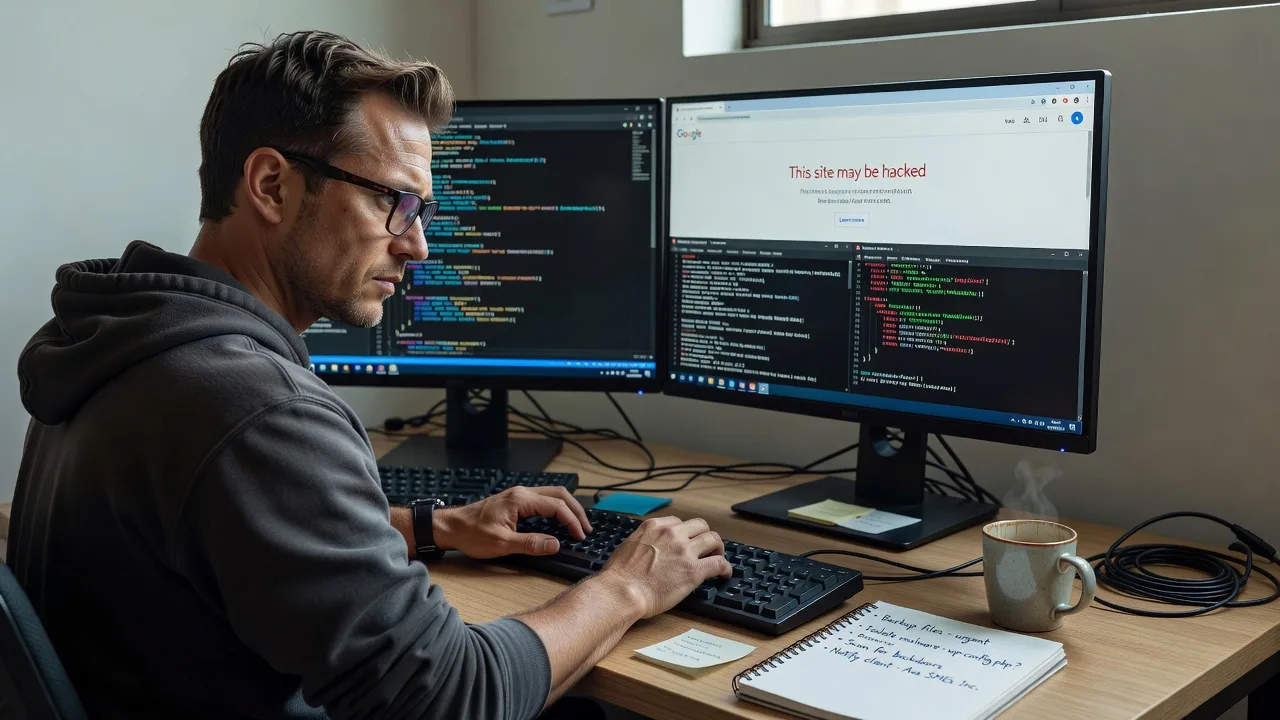
About this service
We clear Google’s “This site may be hacked” warning for Australian businesses so search traffic, bookings, and trust return without marketplace delays. You work directly with Fixwebnode for malware cleanup, Search Console recovery, and practical hardening that sticks.
What You'll Get
- Full malware & spam audit - We map infected files, rogue admins, injected scripts, and blackhat SEO pages Google already flagged.
- Clean removal on your stack - WordPress, static, or custom PHP/Node sites cleaned without wiping legitimate content.
- Google Safe Browsing & Search Console path - Evidence pack, request review guidance, and monitoring until the warning lifts.
- Credential & access lockdown - Weak FTP, reused passwords, abandoned plugins, and open XML-RPC routes closed.
- Backup + post-clean verification - Fresh clean backup, header/footer scan, and live SERP recheck notes.
- Plain-English report - What was wrong, what we fixed, and what your team must not reinstall.
Serving Australia & surrounds
Australian owners feel this warning hardest when foot-traffic seasons and online bookings collide—café strips near train hubs, warehouse suppliers taking freight orders, and clinic sites that need Telehealth forms online every weekday. We work fully remote Australia-wide, including metro and regional stacks, with optional after-hours windows when your site cannot stay down during lunch rush.
- High-street and CBD retailers whose Google Business listings still look fine while organic search shows the red hacked banner
- Industrial and freight-season suppliers losing catalogue traffic after a spam doorway flood on forgotten subdomains
- Remote-first cleanup with secure access handoff—no on-site travel required for standard WordPress and Linux hosting across Australia (e.g. support for sites hosted near Brisbane or Perth data centres when credentials allow)
How We Work
- Step 1: Reach Out - Tell us the exact URL, hosting panel type, and when the Google warning appeared. We listen first and confirm scope before any login.
- Step 2: Tailored Plan - Fixed quote for cleanup depth (single site vs multi-site, WooCommerce, custom code). Clear timeline and access checklist only—no bidding theatre.
- Step 3: We Deliver - Remote forensic clean, malware removal, database spam purge, and hardening. Patient updates if non-technical staff need to approve plugin changes.
- Step 4: Confirm & Follow-up - You get a plain-English report, review-request steps for Google, and optional monitoring so the flag does not bounce back.
Common Issues & How to Fix Them
These are the patterns we see repeatedly on Australian business sites after a “This site may be hacked” label appears in Google Search.
Issue 1: Japanese / pharma / gambling spam pages indexed while your homepage still “looks fine”
Owners only notice when Search Console shows strange URLs or customers forward a Google warning screenshot—common after an old null-byte upload or abandoned contact form.
- Step 1: In Google Search Console, open Pages → reason filters and export any “hacked content” or unknown URLs; note paths ending in random strings or foreign keywords.
- Step 2: On the server, search the web root for recently modified PHP/JS files (last 30–90 days) and compare against a known-good backup; quarantine files that inject base64_decode, eval, or remote includes you did not author.
- Step 3: Delete spam files/DB rows, resubmit a clean sitemap, then use URL Inspection on 3–5 cleaned paths—confirm Googlebot sees your real content, not spam titles.
Issue 2: Browser interstitial or Safe Browsing flag while mobile users still open the site from bookmarks
Desktop staff say “it works for me,” but new customers hit a red Google warning—often from a single malicious script tag in header.php or a compromised tag manager container.
- Step 1: Check the site in an incognito window and via Google’s Transparency Report / Safe Browsing status page for your exact domain (not only www vs non-www).
- Step 2: View page source and network waterfall for unexpected third-party scripts,.suspected.js, or outbound calls to unknown domains; remove the injection at the theme/plugin or CDN layer, not only the cache.
- Step 3: Purge all caches (host, Cloudflare, plugin), retest in incognito on mobile and desktop, then submit a Safe Browsing review only after 24 hours of clean scans.
Issue 3: Reinfection within days because the backdoor login or cron survived the “quick plugin reinstall”
A freelanced “reinstall WordPress” left web shells in wp-content/uploads or a rogue WP-Cron hitting a payload—traffic recovers briefly, then Google flags you again.
- Step 1: List all admin users, FTP/SFTP accounts, and hosting panel users; force password resets and kill unknown SSH keys or application passwords.
- Step 2: Scan uploads and must-use plugins for PHP inside image folders; disable unused XML-RPC, limit login attempts, and remove abandoned plugins themes even if “inactive.”
- Step 3: Confirm no new files appear after 48–72 hours of monitoring and that Search Console coverage stays free of spam URLs before you call the job done.
When DIY is not enough (urgent, unsafe, recurring, or burning time), book Fixwebnode for direct professional support—no freelancers, bidding, or marketplace noise.
Why Choose Fixwebnode
We are a direct Australian provider blending enterprise-grade remote IT cleanup with calm, jargon-free updates for owners who just need the red banner gone. You are not posting a job into a bid pile—you get one accountable specialist path from first screenshot to Google review.
- ✓ Hands-on malware forensics across WordPress, Linux hosting, and mixed CMS stacks common in Australian SMEs
- ✓ Fixed-scope packages with clear deliverables—scan, clean, harden, and Search Console recovery support
- ✓ Human clarity for clinic, NDIS-adjacent, education, and small-business operators who need plain English, not scareware upsells
Expert Insights
After hundreds of Australian cleanups, the pattern that still fools capable owners is the “almost clean” site: homepage HTML looks normal, but a single mu-plugin or a 12-month-old uploads/.php web shell rewrites outbound links only for Googlebot. Before you request a Safe Browsing review, fetch your homepage twice—once with a normal browser user-agent and once spoofing Googlebot—and diff the HTML. If titles, hidden anchors, or foreign keyword blocks appear only on the bot view, do not submit the review yet; you will burn the review cycle and stay flagged longer. Good looks like identical clean markup on both fetches plus zero unexpected admin users. Bad looks like “we deleted the spam pages” while the injector file still sits in wp-content/upgrade or a forgotten staging subdomain still linked in DNS.
Tools & Technologies
WordPress toolkit (WP-CLI, integrity diffs), Linux shell forensics, PHP malware pattern matching, database spam queries, Google Search Console & Safe Browsing review workflow, SSL/TLS checks, Cloudflare/WAF rule review, fail2ban/login hardening, up-to-date plugin/theme baselines, clean backup snapshots, and outbound script/CSP sanity checks.
Perfect For
Australian small businesses, clinics, education sites, and operators who woke up to a Google hacked warning and cannot afford days of lost organic leads. Ideal when you want one direct provider to clean the infection, lock the doors, and walk you through reinstatement—not a chain of anonymous bidders. Remote delivery suits metro and regional teams who need the site trustworthy again before the next booking week.
Ready to clear the warning? Call 0421498927 or start at fixwebnode.com.au/contact-support.
Choose a package
Single-site malware scan, core spam/malware removal, and a plain-English findings summary for one Australian domain.
Deep clean plus hardening and Google Search Console / Safe Browsing review support for one production site.
Comprehensive multi-pass cleanup, reinfection monitoring window, staging/subdomain sweep, and priority reinstatement support.
FAQ
Yes—we clean and recover Australian websites fully remote Australia-wide. Secure hosting, SFTP/SSH, or managed WordPress access is enough for standard jobs. On-site travel is rarely required; if a rare local device handoff is needed we discuss it up front, but most Google hacked warnings are resolved online without interrupting your shop floor.
Cleanup itself is often completed within the package delivery window. Google’s warning can take additional time after a successful Safe Browsing or Search Console review—sometimes hours, sometimes several days. We only guide you to request review after the site is genuinely clean so you do not waste a review cycle.
Typically hosting panel or SFTP/SSH, CMS admin (e.g. WordPress), and Google Search Console owner or full access for the property. We use least-privilege access, document changes, and never ask you to post work into a freelancer marketplace—you deal with us directly.
Our goal is surgical removal of malware and spam while preserving your legitimate pages, media, and on-page SEO. We avoid blunt “delete everything and reinstall” unless the infection is so deep that partial repair is unsafe—and we tell you before that step.



