






 Multi-Vendor & Complex SaaS Marketplaces
 Modern Headless & Jamstack Web Development
 High-End Corporate & Specialized Business Websites
 Advanced API, Checkout & Database Troubleshooting
Elementor & Divi CSS Layout Collapse Fixer — Australia
Stop Elementor and Divi layouts collapsing on Australian business sites—we restore clean CSS structure remotely.
Broken columns, overlapping sections, and mobile wrap failures hit high-street retailers, strata office sites, and regional service brands hard. We diagnose theme CSS, custom code, and builder conflicts, then ship a stable layout you can edit again without fear.
Power up support: call 0421498927 or visit fixwebnode.com.au/contact-support for a direct quote.
- Remote audit of collapse root causes
- Fixed-scope CSS and builder repairs
- Mobile and desktop verification
About this service
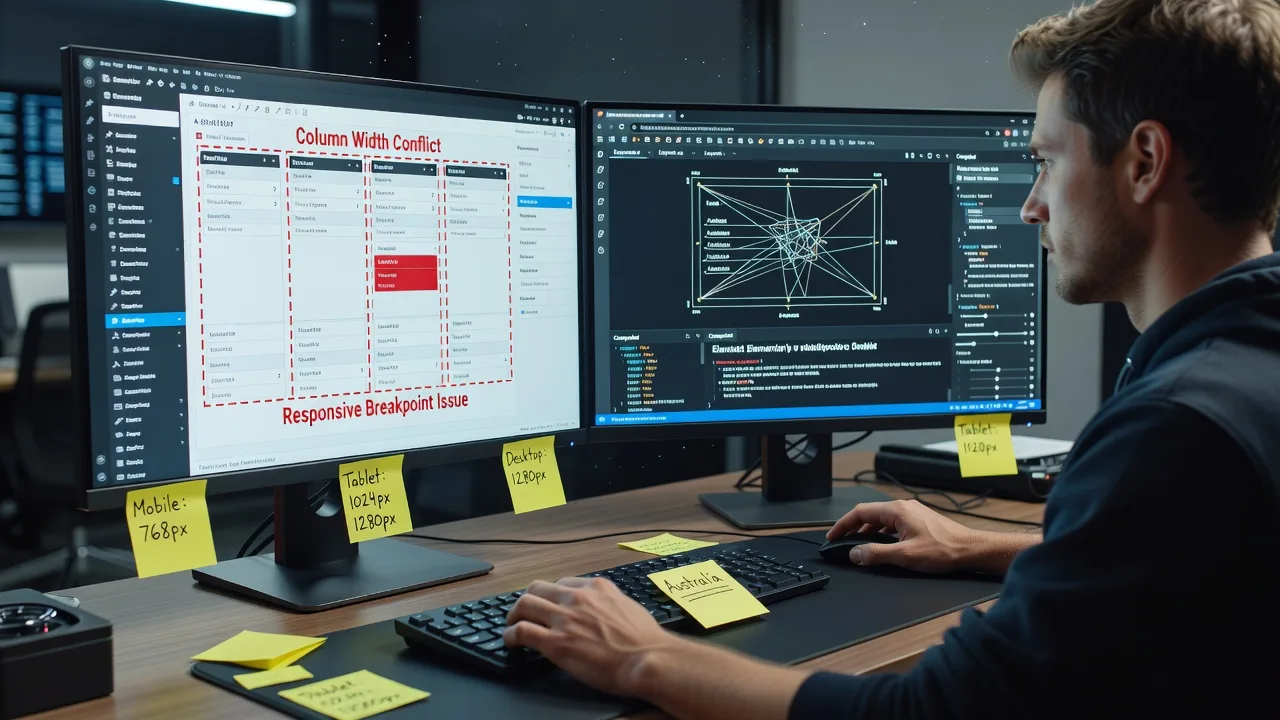
When Elementor or Divi sections stack wrong, stretch full-width, or vanish on mobile, we repair the CSS and builder settings so your Australian site looks intentional again—not broken. You get a direct specialist fix, clear notes, and a layout you can maintain without chasing freelancers or bid wars.
What You'll Get
- Root-cause layout audit - We isolate conflicting CSS, global styles, theme overrides, and builder nesting that collapse columns and sections.
- Targeted CSS & builder repairs - Fixes applied in the right layer (Custom CSS, theme, Elementor/Divi, child theme) so edits survive updates.
- Breakpoint stabilisation - Desktop, tablet, and phone layouts re-aligned so gaps, overflows, and stacked messes stop appearing mid-campaign.
- Section & column structure tidy-up - Nested containers, missing widths, and flex/grid clashes cleaned without redesigning your whole brand.
- Handoff notes in plain English - What broke, what we changed, and what not to override next time you edit a page.
- Optional post-fix check-in - Confirm after cache/CDN purge and a second device pass so the fix sticks in real Australian traffic conditions.
Serving Australia & surrounds
We support Australian businesses whose public pages must stay sharp across CBD retail strips, industrial estates, and regional high streets—especially when a sale, open day, or enrolment window is live. Layout collapse is costly when bookings, menus, or service grids break on phones used by local customers. Work is remote-first across metro and regional Australia, with clear screen-share sessions when you need to see the repair live.
- Hospitality and café-strip sites where menu grids and gallery rows collapse into unreadable stacks on peak mobile traffic
- Warehouse and trade businesses whose service cards or product rows jump out of alignment after a Divi or Elementor update
- Fully remote delivery nationwide—no on-site visit required; we work from staging or controlled live access with backup-first habits
How We Work
- Step 1: Reach Out - Share the live URL, builder (Elementor or Divi), screenshots of the collapse, and whether a recent theme/plugin update triggered it. We listen first and confirm access needs.
- Step 2: Tailored Plan - You receive a fixed-scope quote: single-page emergency stabilise, multi-section repair, or site-wide CSS hygiene with revision limits stated upfront.
- Step 3: We Deliver - We diagnose, patch CSS/builder settings, test key breakpoints, and document changes. Complex sites may use staging before go-live.
- Step 4: Confirm & Follow-up - You review on your devices; we adjust within package revisions and leave maintenance notes so future edits stay safe.
Common Issues & How to Fix Them
These are the collapse patterns we see repeatedly on Elementor and Divi sites—symptoms first, then safe DIY checks before you book deeper repair.
Issue 1: Columns stack or leave huge empty gaps only on tablet/phone
Usually mismatched column widths, “custom width” leftovers, or flex-wrap rules fighting the builder’s responsive controls after a theme or Elementor/Divi update.
- Step 1: Open the page in the builder, select each broken column, and note Width / Custom Width values at Desktop, Tablet, and Mobile—write them down before changing anything.
- Step 2: Reset odd custom widths to auto or equal fractions (e.g. 50/50, 33/33/33) per breakpoint; remove one-off percentage leftovers that only exist on mobile.
- Step 3: Preview tablet and phone inside the builder, then hard-refresh the front end with cache cleared. Gaps should close and columns should share the row without large empty bands.
Issue 2: Full-width sections suddenly sit inside a narrow content box (or vice versa)
Common when a section’s stretch setting, theme content-width CSS, or a parent container override fights Divi’s section width or Elementor’s full-width / boxed layout toggle.
- Step 1: Inspect the section layout setting (boxed vs full width vs full width stretched) and compare against the theme’s content max-width in Customizer or Theme Options.
- Step 2: Align one source of truth: set the section to the intended width mode, then remove conflicting custom CSS that forces max-width on.elementor-section or.et_pb_section if it was added “temporarily” years ago.
- Step 3: Reload with cache/CDN purged. Hero and band sections should edge-to-edge (or boxed) consistently on desktop; mobile should not show a floating inner strip with side gutters unless designed that way.
Issue 3: Overlapping text, buttons, or images after adding custom CSS or a “sticky” header
Absolute positioning, negative margins, and z-index hacks often look fine on the designer’s laptop then collide when real header height, font loading, or Australian mobile viewports differ.
- Step 1: Temporarily disable only the custom CSS block or child-theme rules that mention position:absolute, negative margin, or z-index on the broken section—confirm the overlap disappears.
- Step 2: Rebuild spacing with builder controls (padding/margin per breakpoint) instead of absolute offsets; reserve absolute positioning for true overlays and set explicit top offsets that account for sticky header height.
- Step 3: Test with the real sticky header enabled, slow 3G throttle once, and a second browser. Text and CTAs should remain readable with no covering bars or clipped buttons.
When DIY is not enough (urgent, unsafe, recurring, or burning time), book Fixwebnode for direct professional support—no freelancers, bidding, or marketplace noise.
Expert Insights
After years repairing Australian Elementor and Divi sites, the collapse that looks like “random CSS” is often a specificity and cascade order problem: a theme stylesheet loaded after the builder, a global Elementor kit colour/typography rule, and a page-level Custom CSS snippet all setting width or display on the same selector. Good looks like one intentional layer winning—builder structure first, theme content width second, minimal Custom CSS last with selectors scoped to a section class. Bad looks like three !important width rules on.elementor-column and.et_pb_column fighting each other, plus a page builder “custom width” still set to 27.384% from an old drag. Local scenario: a suburban clinic booking page updated the night before a busy Monday; mobile column custom widths left from a desktop-only tweak made the “Book” row stack under a 200px empty flex gap. Fix pattern we use: strip orphan custom widths per breakpoint, scope one corrective rule to the section’s unique class, purge host + CDN cache, then re-test on an actual mid-range Android used by many Australian patients—not only Chrome device toolbar.
Why Choose Fixwebnode
We are a direct provider for web and IT work across Australia—technical enough to read cascade and builder internals, clear enough to explain fixes without jargon piles. You speak to the people doing the repair, get fixed-scope packages, and keep ownership of your theme and builder files.
- ✓ Hands-on Elementor and Divi layout repair experience on live business sites
- ✓ Remote delivery suited to metro and regional Australian teams and sole traders
- ✓ Plain-English handoff so your next edit does not re-break the same section
Tools & Technologies
Elementor (Free/Pro), Divi Builder & Theme Options, WordPress Customizer, child-theme CSS, browser DevTools (Computed / Layout), WP Rocket / LiteSpeed / host CDN cache purge, staging copies where available, responsive breakpoint testing, and selective Custom CSS scoped to section IDs/classes—not blanket !important dumps.
Perfect For
Australian small businesses, clinics, education providers, and operators who rely on Elementor or Divi and need a collapsed homepage, services grid, or landing page restored before ads or seasonal traffic hit. Ideal when you want a competent technical fix plus calm, jargon-light explanation—not a redesign sales pitch or a marketplace bidding thread.
Ready to stabilise the layout? Call 0421498927 or use fixwebnode.com.au/contact-support and tell us which page is collapsing.
Choose a package
Single-page Elementor or Divi layout collapse diagnosis and CSS/builder stabilisation for one primary breakpoint set.
Multi-section repair across key pages with breakpoint cleanup, cache guidance, and plain-English handoff notes.
Site-wide Elementor/Divi layout hygiene, conflict cleanup, staging-aware rollout, and extended revision support.
FAQ
Yes—we deliver this service remotely to clients anywhere in Australia. Layout collapse fixes are done via secure WordPress access and screen share when useful, so metro and regional teams get the same specialist repair without travel delays. On-site visits are not required for Elementor or Divi CSS work.
That is one of the most common triggers. We compare builder settings, global kits, and any custom CSS against the updated theme styles, restore stable widths and section stretch behaviour, and document what to avoid on the next update. If a plugin is the culprit, we isolate it before changing design structure.
Packages focus on repair and stabilisation, not a full rebrand. We keep your existing design intent, fix collapse causes, and only adjust structure or CSS where needed for reliable columns, sections, and breakpoints. Larger redesign work can be scoped separately if you ask for it.
Typically a WordPress admin account (or temporary collaborator access), the affected URLs, and note of Elementor or Divi plus any caching/CDN plugin. We prefer a backup or staging copy on business-critical sites before applying structural CSS changes.



