Multi-Vendor & Complex SaaS Marketplaces
 Modern Headless & Jamstack Web Development
 High-End Corporate & Specialized Business Websites
 Advanced API, Checkout & Database Troubleshooting
When nvidia-smi Freezes Mid-Training: Don’t Reboot Yet
If nvidia-smi hangs mid-training, don’t hard-reboot first. Learn the hardware signs, safe DIY checks for Australian workstations, and when Fixwebnode should inspect the GPU on-site.
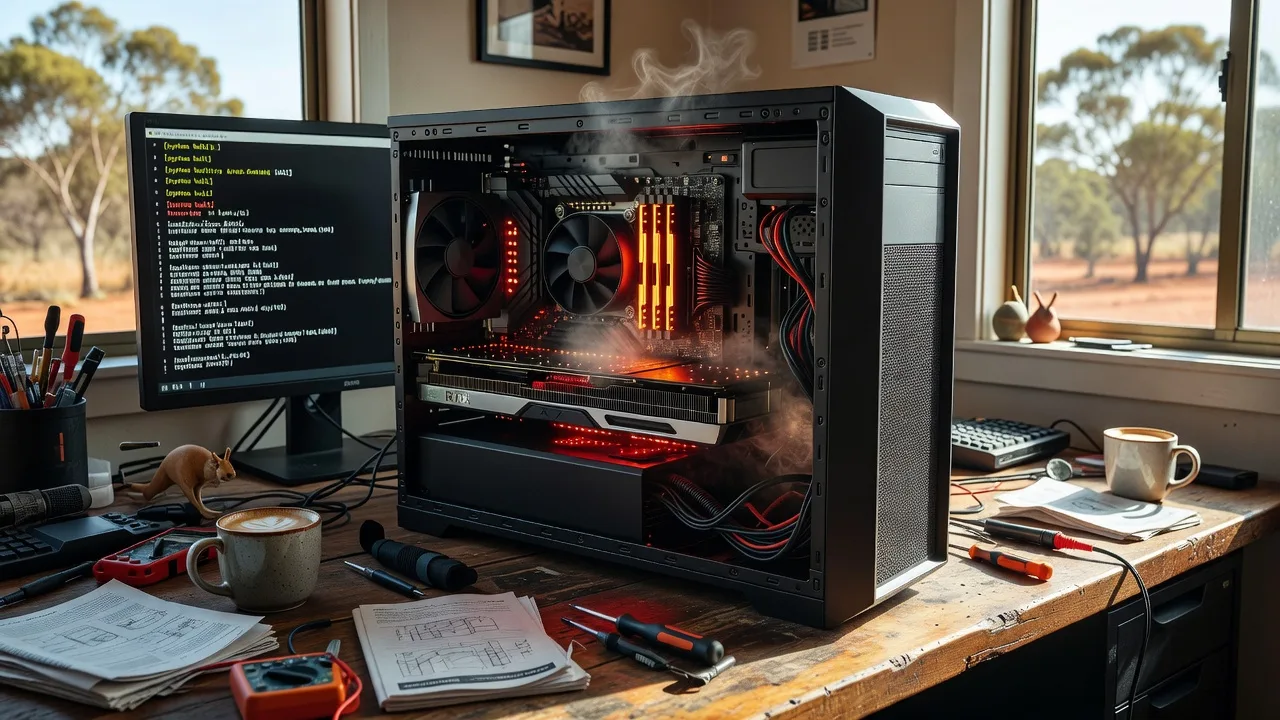
If your nvidia-smi command completely hangs, don't reboot the machine yet—try this instead. A frozen nvidia-smi mid-training usually means the GPU path (card, power, thermals, or driver stack) has stopped answering—not that the whole PC is already dead. This guide is for homeowners, sole traders, and small teams in Australia running local Nvidia workstations for training, rendering, or creative workloads who need calm, on-site style checks before they risk filesystem damage with a hard power cut.
Fixwebnode works as a direct specialist for this kind of Nvidia nvidia-smi panic on local hardware—not a freelance marketplace. If DIY stops short, you can book a conversation through our Australia website repair and workstation help landing page for individuals, sole traders, and local operators.
Why a frozen nvidia-smi mid-training matters
When training jobs are running, the GPU is under sustained load. nvidia-smi talks to the Nvidia driver and the card’s management interface. If that channel locks, the process list freezes, fans may scream or go silent, the display can blank, and a forced reboot can corrupt checkpoints, containers, or the OS volume. Treating it as a hardware-first event—heat, power delivery, seating, and failing silicon—saves data and often saves the card.
We support customers across our Australia service area with practical inspection and drop-off or on-site paths when the machine will not recover cleanly.
Does a frozen nvidia-smi mean my Nvidia GPU is failing in Australia?
Not always. A hang often starts with heat, a loose PCIe power lead, or a driver lock after long load; true VRAM or board failure is less common but real. Start with power, airflow, and seating checks before you assume the card is dead, and book a specialist if the hang returns under light load or the chassis shows burn smell, bulging capacitors, or repeated hard lockups.
| Symptom | Quick check | When to call Fixwebnode |
|---|---|---|
| nvidia-smi never returns; fans loud | Power down cleanly if possible; feel exhaust heat; inspect dust | Repeats after cleaning and reseating |
| Hang only under training load | Confirm 8-pin/12VHPWR clicks; PSU headroom | Connectors warm, scorch marks, or random black screens |
| Hang plus artefacts or driver resets | Note artefact pattern; try another slot/cable if safe | Artefacts at idle or POST GPU errors |
Common issues when nvidia-smi freezes mid-training
These problems show up often on local desktop and tower GPUs used for ML and creative work. Each has different root causes—do not treat them as the same fix.
1. Thermal saturation and choked airflow
Symptoms: nvidia-smi freezes after 20–90 minutes of training; case exhaust is very hot; GPU fans hit max then the whole management path stops responding; sometimes a delayed black screen.
2. GPU power connector or PSU sag under load
Symptoms: Hang appears when batch size or resolution jumps; system may reboot, brown out, or freeze with no useful on-screen error; power cables feel warm; training was stable at light load.
3. PCIe seating, riser, or slot contact faults
Symptoms: nvidia-smi freezes intermittently; moving the case or bumping the desk correlates; second monitor on the GPU drops; machine may POST with the card only after a full power drain.
4. Driver or firmware lock after long compute sessions
Symptoms: Display still shows an old frame; keyboard works briefly; nvidia-smi and similar tools never return; a clean restart (not a hold-the-power-button kill) sometimes recovers until the next long run.
5. Failing GPU memory or board-level hardware
Symptoms: Speckles, stripes, or “firework” artefacts before the hang; freezes even on short test loads; repeated unrecoverable locks; burning smell or odd coil whine spikes.
How to fix thermal saturation safely
Heat is the most common reversible cause of a mid-training nvidia-smi freeze on dusty towers.
- Stop the job without a hard kill if you still have keyboard control. Close the training UI or terminal window manager path you still can; if the machine is fully wedged, hold the power button only as last resort after noting how long it had been running.
- Power off and unplug. Wait several minutes so coils and VRAM can cool. Do not keep forcing reboots while the heatsink is heat-soaked.
- Open the side panel and inspect intake and GPU fins. Look for carpet dust, pet hair, and blocked rear exhaust. A torch helps between fin stacks.
- Clean with safe airflow. Use short bursts of compressed air outward through the exhaust and across the GPU shroud while holding fan blades still so they do not overspin. Do not vacuum spinning fans directly.
- Verify case layout. Ensure nothing blocks the GPU’s intake (hard-drive cages, unused cabling dumped on the card, chassis on thick carpet sealing the bottom intake).
- Boot and run a short, supervised load. Watch whether exhaust temperature climbs more slowly and whether monitoring tools respond again. If nvidia-smi still freezes within minutes on a clean card, move on—heat was not the only fault.
Book Fixwebnode when cleaning does not change the timeline of the hang, when pads or paste need rework, or when you are not comfortable opening a compact or liquid-cooled chassis.
How to fix power connector and PSU sag issues
Training spikes current on the GPU rail. Loose plugs and weak supplies freeze the management path under load.
- Shut down and unplug mains. Discharge by holding the case power button for several seconds after unplugging.
- Reseat every GPU power plug. For classic 8-pin PCIe, push until the latch clicks. For 12VHPWR / 12V-2x6 style leads, seat fully and check the cable is not sharply bent at the card for the first stretch of cable—as sharp bends are a known stress point.
- Avoid fragile adapters under sustained training. Daisy-chained or thin adapter bricks that felt “fine for gaming” often fail first in long trainings. Prefer native cables from the PSU where the hardware allows.
- Confirm PSU capacity versus the card’s load. If the supply is older, low-wattage, or already feeding many drives and peripherals, load hangs are expected. Note model labels on the PSU side sticker for a specialist visit—do not guess wattage from memory alone.
- Check for heat discoloration. Tan plastic, melted feel, or scorch near the GPU power mouth means stop DIY power experiments and arrange inspection.
- Retest with a lighter workload first. If light load is stable but full training freezes nvidia-smi again, treat power delivery as prime suspect.
Call a pro when connectors are damaged, the PSU is unknown or noisy, or the machine brown-outs other devices on the same desk circuit.
How to fix PCIe seating and riser problems
A card that only just holds the slot will train for a while, then lose the bus—nvidia-smi never returns.
- Power down, unplug, and ground yourself on the metal chassis before touching the card.
- Release the motherboard PCIe latch and lift the card out squarely. Inspect gold fingers for corrosion, residue, or uneven wear.
- Inspect the slot and any riser. Cheap vertical risers and extension cables are frequent hang culprits in small creative desks. Look for frays, loose screws, or a card drooping without a brace.
- Reseat firmly until the retention clip bites. Support the back of the board; do not flex the PCB.
- Refit the case bracket screws so the card cannot rock when cables are tugged.
- Power on and confirm the GPU display path and monitoring respond before launching a full multi-hour training run.
Fixwebnode is the better path if the slot feels loose, the riser is required for your case layout, or the machine only detects the card intermittently at POST.
How to address driver or firmware locks after long sessions
Not every hang is burnt silicon. Long compute can leave the driver wedged while the OS still partially responds.
- If the keyboard still works, attempt a normal shutdown from the OS. Prefer an orderly stop over holding the power button so filesystems and training outputs flush.
- After a clean boot, avoid immediately resuming the heaviest job. Open a simple desktop session first and see whether GPU monitoring responds at idle.
- Apply current OEM GPU drivers from a known source using the vendor’s standard installer for your OS, and reboot once. Skip random “tweaked” third-party packages.
- Reduce concurrent desktop load (multi-monitor HDR, hardware encoding overlays, browser GPU abuse) while testing a short training epoch.
- Keep notes: time-to-hang, ambient room heat, and whether a clean shutdown was possible. That log matters if hardware service is next.
If every long session locks nvidia-smi even after a fresh driver install and cool idle behaviour, escalate—persistent locks often hide power or memory faults rather than “just software.”
How to respond to artefacts and suspected GPU hardware failure
Visual corruption plus a frozen nvidia-smi is a hardware-leaning pattern.
- Photograph artefacts if they appear (stripes, blocks, random coloured pixels). That helps a specialist later.
- Stop further heavy training to limit heat on a potentially failing board.
- Test with the GPU as the only added PCIe card if you can (remove non-essential capture or USB controller cards) to rule out shared bandwidth oddities—only if you are comfortable opening the case.
- Try the card in another known-good PC only if you own one and electrostatic handling is safe. Otherwise skip cross-machine tests and book inspection.
- Prepare the machine for service: back up project folders and checkpoints to external storage; bag loose adapters; note GPU model on the shroud sticker.
Do not keep power-cycling a card that artefacts at idle. That is the point to book Fixwebnode rather than push another overnight run.
When DIY is enough vs when to book Fixwebnode
DIY is enough when a single hang followed dusty fins, an unclicked power lead, or a one-off driver wedge—and after cleaning, reseating, and a calm reboot, monitoring stays responsive through a short supervised load.
Book a specialist when freezes return on light load, connectors show heat damage, artefacts appear, the PSU is undersized or aging, liquid cooling is involved, or you cannot risk another hard power loss on production data. Fixwebnode is a direct local/remote provider for this Nvidia nvidia-smi panic scenario: you speak with the specialist path, not a bid board.
For geography, see our Australia coverage and the wider service areas hub. On-site or drop-off style help is arranged around your machine type (tower workstation, compact creator PC, or GPU-equipped desktop). Bring or leave clear labels of the GPU model, describe whether training was CUDA/PyTorch/other, and keep backups off the affected drive before transport.
Expectations without fairy tales: availability is often same-day when booked early, depending on schedule and location—never a guaranteed travel minute count. No need to strip the OS reinstall as first ritual; hardware inspection first saves time when nvidia-smi freezes mid-training.
Talk to Fixwebnode about your frozen GPU workstation
If nvidia-smi still hangs after airflow, power, and seating checks, do not keep hard-rebooting through multi-hour runs. Start a conversation with Fixwebnode about your local Nvidia workstation symptoms and book a practical inspection path suited to individuals, sole traders, and local operators in Australia.
Contact Fixwebnode to book help and get a clear next step for When nvidia-smi Freezes Mid-Training—before another forced reboot risks both the card and your checkpoints.