Multi-Vendor & Complex SaaS Marketplaces
 Modern Headless & Jamstack Web Development
 High-End Corporate & Specialized Business Websites
 Advanced API, Checkout & Database Troubleshooting
Migrate 40 cPanel Accounts to Multi-Tenant Plesk Obsidian
Agency cPanel renewals eating your margin? Move all client accounts onto one multi-tenant Plesk Obsidian stack with a practical, command-level migration runbook for Australian operators—plus when to book Fixwebnode for remote cutover help.
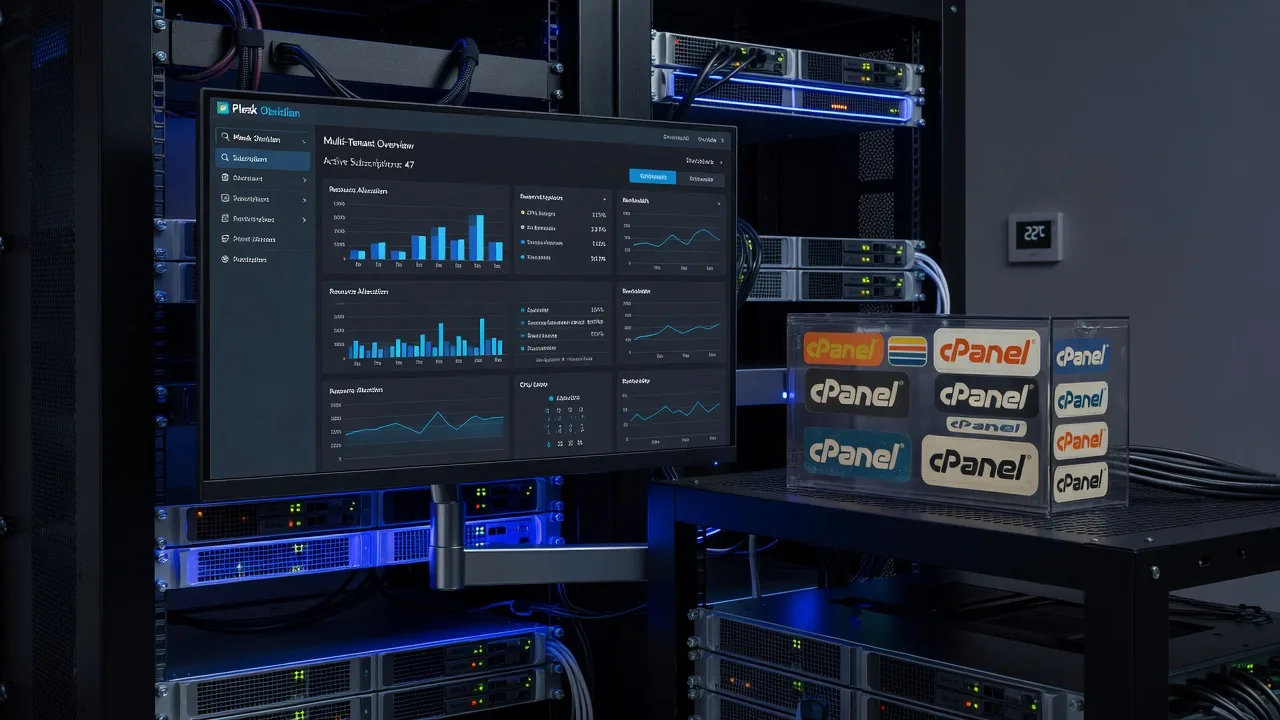
If your agency is drowning in separate cPanel account renewal fees, consolidating every client onto one multi-tenant Plesk Obsidian environment is the fix—not another year of per-account licences.
This guide is for Australian web agencies, sole traders, and small hosting operators who manage dozens of client sites and need a working, step-by-step path from scattered cPanel accounts to a single Plesk Obsidian multi-tenant server. We cover inventory, Plesk setup, bulk migration tooling, DNS cutover, SSL, mail, and the failure modes that commonly stall a 40-account move. Fixwebnode provides direct remote specialist support across Australia for this exact consolidation work—not a freelance marketplace.
Why cPanel renewal sprawl forces a Plesk multi-tenant move
Each client on its own cPanel (or a crowded shared reseller seat) multiplies licence cost, backup sprawl, PHP version drift, and after-hours firefighting. A multi-tenant Plesk Obsidian host lets you keep strict per-client isolation (subscriptions, service plans, resource limits) while paying and patching one control plane. For agencies in Australia, the goal is simple: stop bleeding on renewals, keep client sites online, and finish DNS cutover without a weekend outage cascade.
How do you migrate 40 cPanel client accounts to multi-tenant Plesk Obsidian in Australia without downtime?
Build one hardened Plesk Obsidian server, map every cPanel account to a Plesk subscription under a clear service plan, migrate with Plesk’s official cPanel/WHM migrator (or panel dump + restore where needed), then cut DNS and SSL in controlled batches. Validate mail, cron, databases, and PHP handlers per site before you cancel old cPanel seats. If backups, mail routing, or bulk transfer fail mid-flight, book remote cutover help rather than forcing a partial move.
| Symptom | Quick fix | When to call Fixwebnode |
|---|---|---|
| Migrator stalls on large accounts | Raise timeouts; migrate DB/files in stages; check disk quota | Repeated transfer aborts or corrupt archives |
| Sites 500 after cutover | Align PHP version/handler; fix document root & open_basedir | Many sites fail at once after DNS flip |
| Mail bounce or missing folders | Re-sync mailboxes; fix MX/SPF before cancelling cPanel | IMAP history loss or mixed MX across 40 domains |
Common issues when leaving cPanel for multi-tenant Plesk
These are the distinct failure modes Australian agencies hit when consolidating ~40 client accounts. Each has different root causes—treat them separately.
Issue 1 — Incomplete inventory: orphaned add-ons, parked domains, and cron jobs
Symptoms: After migration, “mystery” subdomains 404, scheduled tasks never fire, or a client’s parked brand domain still points at the old cPanel IP. You discover missing pieces only when the client calls.
Issue 2 — Plesk migrator aborts on large home directories or MySQL dumps
Symptoms: Transfer session hangs, partial subscriptions appear in Plesk, /var/log shows timeout or disk-full errors, and re-running the job duplicates half-imported data.
Issue 3 — Post-cutover PHP and path breakage (500 errors, white screens)
Symptoms: WordPress and Laravel sites load blank or throw 500s; error_log shows wrong document root, missing PHP extensions, or open_basedir restrictions that cPanel never enforced the same way.
Issue 4 — Mail and DNS half-cutover (bounces, split brain MX)
Symptoms: Some mailboxes work on Plesk while others still deliver to cPanel; SPF/DKIM fail; clients report missing Sent folders because IMAP was not fully re-synced before the old server was decommissioned.
Fix issue 1 — Build a complete pre-migration inventory
Do not start the migrator until every account is catalogued. On each source cPanel/WHM host (or via root SSH), export what you will recreate as Plesk subscriptions.
Step 1 — List accounts and primary domains on the cPanel server
sudo whmapi1 listaccts | less
# or from shell:
sudo ls -1 /var/cpanel/users
sudo cat /etc/trueuserdomains
Capture username, primary domain, owner (reseller), disk usage, and package name into a spreadsheet you will map to Plesk service plans.
Step 2 — Enumerate addon, parked, and subdomain maps
sudo cat /etc/userdatadomains
sudo cat /etc/domainuserdata/* 2>/dev/null | head
# per account example:
sudo cat /var/cpanel/userdata/CLIENTUSER/main
Note document roots that are not the default public_html—Plesk will need matching hosting settings.
Step 3 — Export cron, email accounts, and forwarding rules
sudo crontab -u CLIENTUSER -l
sudo cat /var/spool/cron/CLIENTUSER
# mailboxes (requires root):
sudo ls /home/CLIENTUSER/mail/
sudo uapi --user=CLIENTUSER Email list_pops
sudo uapi --user=CLIENTUSER Email list_forwarders
Step 4 — Snapshot databases and confirm dump health
sudo mkdir -p /root/pre-mig-inventory && cd /root/pre-mig-inventory
sudo whmapi1 list_mysql_databases_and_users
# test dump for a heavy account:
sudo mysqldump --single-transaction --routines --triggers CLIENT_DB > CLIENT_DB.sql
sudo tail -5 CLIENT_DB.sql
Confirm the dump ends cleanly (no truncated output). Repeat for every production database or schedule logical dumps the night before cutover.
Step 5 — Record DNS and SSL state before anything moves
dig +short A clientdomain.com.au
dig +short MX clientdomain.com.au
echo | openssl s_client -connect clientdomain.com.au:443 -servername clientdomain.com.au 2>/dev/null | openssl x509 -noout -dates -subject
Store TTL values. Lower TTLs to 300 seconds at least 24–48 hours before batch cutover so Australian resolvers pick up the new Plesk IP quickly.
When to call Fixwebnode: if you cannot get consistent WHM API access across multiple reseller silos, or inventory scripts disagree with live vhosts, get a remote specialist to reconcile sources before transfer day.
Fix issue 2 — Stand up multi-tenant Plesk and run a controlled bulk migration
Target one Linux host (AlmaLinux or Ubuntu per Plesk support matrix) sized for the sum of all 40 accounts plus headroom. Multi-tenant here means separate Plesk subscriptions (and ideally separate system users) under shared service plans—not one shared docroot.
Step 1 — Install Plesk Obsidian (example on supported Linux)
# as root — official installer
curl -fsSL https://autoinstall.plesk.com/plesk-installer -o plesk-installer
chmod +x plesk-installer
./plesk-installer --select-product-id plesk --select-release-current --installation-type recommended
Complete the post-install wizard, set the admin password, and apply updates:
plesk installer update
plesk bin init_conf --get-ready-status
Step 2 — Create service plans that mirror your old cPanel packages
# example: agency standard plan with isolation-friendly defaults
plesk bin service_plan -c "Agency-Standard" \
 -hosting true -manage_php_version true \
 -max_dom 20 -disk_space 10G -max_box 50
plesk bin service_plan -l
Map each former cPanel package to one plan so the 40 subscriptions stay consistent for billing and limits.
Step 3 — Enable and use the cPanel/WHM migrator in Plesk
In Plesk: Tools & Settings → Migration & Transfer Manager. Point it at the source cPanel/WHM host with root (or sufficient) SSH credentials. Prefer IP allowlisting on the source firewall for the Plesk server only.
# on SOURCE cPanel — ensure SSH root or a sudo migrator user works
sudo ss -tlnp | grep ':22'
# on Plesk — verify outbound SSH to source
ssh -p 22 root@SOURCE_CPANEL_IP 'hostname && cat /etc/redhat-release 2>/dev/null || cat /etc/os-release | head'
Select all 40 accounts in batches of 5–10 (not all at once on first run). Start with low-risk brochure sites, then e-commerce.
Step 4 — Watch transfer logs and free space in real time
# on Plesk host
df -h
plesk bin subscription -l
# migrator / panel logs (paths vary slightly by version):
sudo tail -f /var/log/plesk/panel.log
sudo journalctl -u sw-engine -f
If a large account fails:
# free space and inodes
df -h; df -i
# raise PHP/panel timeouts only if you know the impact; otherwise split the account:
# 1) copy web files with rsync
# 2) import DB separately
rsync -aHAX --info=progress2 root@SOURCE:/home/CLIENTUSER/public_html/ /var/www/vhosts/clientdomain.com.au/httpdocs/
mysql -e "CREATE DATABASE client_db CHARACTER SET utf8mb4 COLLATE utf8mb4_unicode_ci;"
mysql client_db < /root/pre-mig-inventory/CLIENT_DB.sql
Step 5 — Verify each subscription before DNS moves
plesk bin subscription -i clientdomain.com.au
plesk bin site -i clientdomain.com.au
# PHP handler check
plesk bin domain -i clientdomain.com.au | grep -i php
# hit the site via hosts-file override or temporary URL, not public DNS yet
On your workstation, temporarily map the domain to the new IP in /etc/hosts and browse every critical path (login, checkout, forms).
When to call Fixwebnode: migrator aborts repeatedly, disk balloons from duplicate imports, or you need parallel transfers across several old cPanel nodes into one Plesk box without corrupting subscriptions. Remote specialists via Adelaide Linux Experts: Support for All Distributions can stabilise panel-level transfers on Linux hosts.
Fix issue 3 — Repair PHP handlers, document roots, and app paths after import
cPanel’s MultiPHP and Plesk’s PHP handlers do not always land on the same version or modules. Fix per site before you announce go-live.
Step 1 — Align PHP version to what the app needs
# list installed handlers
plesk bin php_handler --list
# set domain to a known-good version (example 8.2)
plesk bin domain -u clientdomain.com.au -php_handler_id plesk-php82-fpm
Step 2 — Confirm document root and repair WordPress path constants if needed
plesk bin site -i clientdomain.com.au | grep -i root
# typical vhost layout:
sudo ls -la /var/www/vhosts/clientdomain.com.au/httpdocs
# check web server error log
sudo tail -100 /var/www/vhosts/clientdomain.com.au/logs/error_log
If WordPress still white-screens:
cd /var/www/vhosts/clientdomain.com.au/httpdocs
# WP-CLI if installed for that subscription user
sudo -u CLIENTSYSUSER wp option get siteurl
sudo -u CLIENTSYSUSER wp option get home
sudo -u CLIENTSYSUSER wp plugin list
sudo -u CLIENTSYSUSER wp theme list
Step 3 — Enable missing extensions the old cPanel host had by default
# example: ensure imagick/mysqli/intl on the chosen PHP
plesk bin php_handler --list
# install via Plesk UI (PHP Settings) or OS packages matching the handler,
# then restart PHP-FPM pool:
sudo systemctl restart plesk-php82-fpm
# or:
sudo service plesk-php82-fpm restart
Step 4 — Re-run a local smoke test without touching public DNS
curl -I -H "Host: clientdomain.com.au" http://PLESK_SERVER_IP/
curl -sk -H "Host: clientdomain.com.au" https://PLESK_SERVER_IP/ | head
Expect 200/301/302—not 500. Fix remaining permission issues:
plesk repair web clientdomain.com.au -y
plesk repair fs clientdomain.com.au -y
When to call Fixwebnode: more than a handful of sites 500 after handler changes, or you suspect malware residual from old cPanel shared neighbours—use dedicated cleanup rather than migrating infected trees. For infected WordPress trees, see Emergency WordPress Malware Removal & Security South Yarra as a related hardening path before final cutover.
Fix issue 4 — DNS, SSL, and mail cutover without split-brain
Never cancel cPanel seats until mail and HTTPS are proven on Plesk.
Step 1 — Issue SSL on Plesk while DNS still points old (DNS-01) or after A-record flip (HTTP-01)
# after A record points to Plesk, or using DNS challenge:
plesk bin extension --exec letsencrypt cli.php -d clientdomain.com.au -d www.clientdomain.com.au -m admin@youragency.com.au
Step 2 — Re-check MX and publish aligned SPF/DKIM on the new host
plesk bin mail --list
plesk bin domain_settings -o clientdomain.com.au
dig +short MX clientdomain.com.au
dig +short TXT clientdomain.com.au
# enable DKIM per domain in Plesk Mail settings, then verify:
dig +short TXT default._domainkey.clientdomain.com.au
Step 3 — Final mailbox sync if users kept sending on cPanel during migration
# example IMAP sync tool pattern (run from a jump host with care)
# imapsync --host1 OLD --user1 box@clientdomain.com.au --password1 '***' \
# --host2 NEW --user2 box@clientdomain.com.au --password2 '***'
# Prefer off-peak; document app passwords / TLS requirements for each client MUA.
Step 4 — Batch DNS cutover and monitor
# lower TTL done earlier; now update A/AAAA at the registrar or DNS host
dig +short A clientdomain.com.au @8.8.8.8
dig +short A clientdomain.com.au @1.1.1.1
# watch nginx/apache access on Plesk
sudo tail -f /var/www/vhosts/clientdomain.com.au/logs/access_log
Cut 5–10 domains per window. Keep old cPanel running in read-only posture until each batch’s mail and HTTPS pass.
Step 5 — Only then remove or suspend source cPanel accounts
# on old server — after signed sign-off
# take one final compressed backup per account
/scripts/pkgacct CLIENTUSER
ls -lh /home/cpmove-CLIENTUSER.tar.gz
Retain cpmove archives offline before you terminate paid cPanel seats—that is how you stop the renewal bleed safely.
When to call Fixwebnode: mixed MX across many domains, Exchange/Microsoft 365 hybrid oddities, or DKIM/SPF failures damaging sender reputation for client brands.
When DIY is enough vs when to book Fixwebnode
DIY is enough when you have root on both panels, fewer complex mail setups, solid recent backups, and time to migrate in small batches with hosts-file testing. The commands above are enough for a careful sysadmin to finish a clean multi-tenant layout on Plesk Obsidian.
Book Fixwebnode when any of these are true: multiple legacy cPanel/WHM nodes with inconsistent resellers; e-commerce cutovers that cannot tolerate extended checkout downtime; migrator corruption; widespread PHP 500s after import; or mail must move with zero mailbox loss. Fixwebnode works as a direct remote specialist for individuals, sole traders, and local operators across Australia—see where support is offered on the service areas page. Engagement is remote/digital: panel access, SSH, and structured cutover windows—not a bid board.
Talk through your 40-account Plesk cutover
If cPanel renewals are still stacking up while client sites sit on uneven stacks, consolidate on multi-tenant Plesk Obsidian with a written inventory, batched migrator runs, and verified DNS/mail/SSL before you cancel old seats. For hands-on remote help planning or executing that move, start a conversation with Fixwebnode website repair Australia—direct specialist support for agencies ready to end per-account cPanel fee sprawl.