Multi-Vendor & Complex SaaS Marketplaces
 Modern Headless & Jamstack Web Development
 High-End Corporate & Specialized Business Websites
 Advanced API, Checkout & Database Troubleshooting
Docker Compose Override Trick Bootcamps Skip (AU Guide)
Bootcamps stop at up/down. Learn the multi-file Compose override pattern Aussie teams use for stable DevOps automation—plus three failure modes, DIY fixes, and when Fixwebnode should take over remotely.
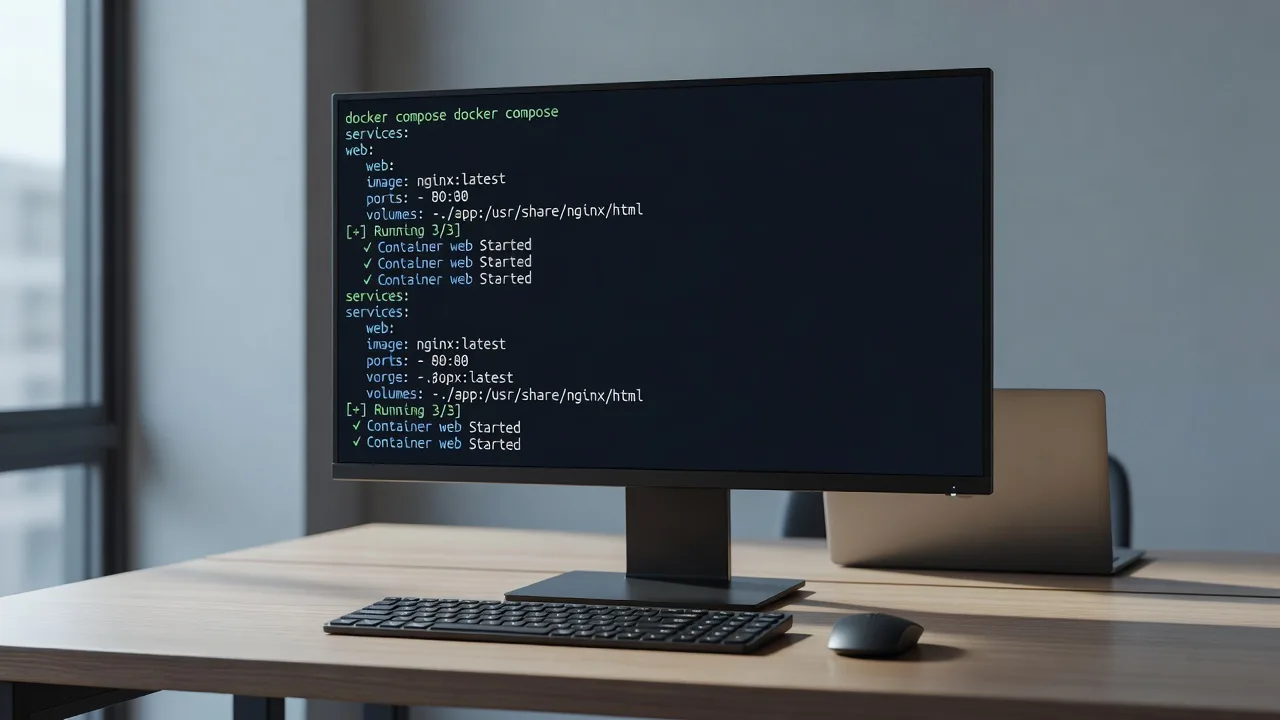
If your stack “works on my laptop” but flakes in staging, you are missing the Compose pattern most bootcamps never cover. This guide is for sole traders, agencies, and small ops teams in Australia who run services with Docker Compose and need repeatable automation—not another hello-world tutorial.
We walk through the production-grade trick: layering a base compose.yaml with environment overrides and profiles, then fixing the three failures that show up once you leave the classroom. When the stack is business-critical or the blast radius is unclear, Fixwebnode can diagnose and stabilise the Compose setup remotely for individuals, sole traders, and local operators.
Why this Compose pattern matters for DevOps automation
Bootcamps teach docker compose up. Production needs one definition of services, then thin layers for local, staging, and production—without copy-pasting three full files that drift apart. The overlooked trick is intentional file merge order plus profiles: a locked base file, a never-committed local override, and explicit -f stacks for shared environments.
Done right, you get the same service graph everywhere, different ports/resources/secrets per environment, and CI that cannot accidentally pull developer bind mounts into production. Done wrong, you get silent config wins, racey startups, and “ghost” containers that no one can explain on a Monday morning outage.
What is the Docker Compose trick bootcamps skip in Australia?
The trick is multi-file Compose layering: keep a base compose.yaml, add a gitignored compose.override.yaml for local-only mounts and ports, and promote shared environments with explicit files such as compose.staging.yaml using docker compose -f …. Pair that with healthcheck-gated depends_on and profiles so optional workers only start when you ask. Australian teams use this to keep laptop, VPS, and cloud deploys aligned without maintaining three divergent stacks.
| Symptom | Quick DIY check | Call Fixwebnode when |
|---|---|---|
| App dies on boot; DB “connection refused” | Inspect health + depends_on condition | Race persists across hosts or CI |
| Prod has laptop bind mounts / debug ports | Confirm which compose files merged | You cannot prove what prod loaded |
| Wrong env vars win; secrets look “half applied” | Print resolved config and env precedence | Multiple env_file layers disagree |
Common issues with this Compose automation pattern
These are distinct failure modes. Each has a different root cause—do not treat them as “just restart Docker.”
- Issue 1 — Dependency race on healthy-looking stacks: Containers start in order, but your API still crashes because Postgres accepted the TCP connection before it finished recovery. Symptom: intermittent
connection refusedor auth errors only on cold start or after host reboot. - Issue 2 — Local override silently bleeds into shared environments: A developer
compose.override.yaml(or a forgotten second-f) changes volumes, ports, or command in staging/prod. Symptom: debug ports open, source bind-mounted, or “works only on one machine.” - Issue 3 — Environment and env_file precedence fights: Base file, override, shell export, and
.envdisagree. Symptom: app reads an oldDATABASE_URL, feature flags flip between deploys, or secrets appear set in Compose but empty inside the container.
The base pattern (set this up once)
Use Compose V2 (docker compose, not the old Python binary). On the host:
docker compose version
mkdir -p ~/stacks/app && cd ~/stacks/app
Create a minimal base file that every environment shares. Keep secrets out of the file; reference env files instead.
cat > compose.yaml <<'EOF'
services:
 db:
 image: postgres:16-alpine
 env_file:
 - ./env/db.env
 volumes:
 - pgdata:/var/lib/postgresql/data
 healthcheck:
 test: ["CMD-SHELL", "pg_isready -U $$POSTGRES_USER -d $$POSTGRES_DB"]
 interval: 5s
 timeout: 5s
 retries: 10
 start_period: 10s
 networks: [internal]

 api:
 image: ghcr.io/example/api:stable
 env_file:
 - ./env/api.env
 depends_on:
 db:
 condition: service_healthy
 networks: [internal]
 profiles: ["core"]

 worker:
 image: ghcr.io/example/api:stable
 command: ["python", "-m", "app.worker"]
 env_file:
 - ./env/api.env
 depends_on:
 db:
 condition: service_healthy
 api:
 condition: service_started
 networks: [internal]
 profiles: ["workers"]

volumes:
 pgdata:

networks:
 internal:
 driver: bridge
EOF
Local-only file (gitignored) for bind mounts and published ports—never ship this to production hosts:
cat > compose.override.yaml <<'EOF'
services:
 api:
 ports:
 - "8080:8080"
 volumes:
 - ./src:/app/src:ro
 db:
 ports:
 - "5432:5432"
EOF

echo 'compose.override.yaml' >> .gitignore
Staging example without local mounts—invoked only with explicit -f flags:
cat > compose.staging.yaml <<'EOF'
services:
 api:
 ports:
 - "127.0.0.1:8080:8080"
 restart: unless-stopped
 db:
 restart: unless-stopped
 worker:
 restart: unless-stopped
EOF
How to fix issue 1: dependency races despite depends_on
Plain depends_on only waits for container start, not application readiness. That is why bootcamp demos “work” until the database is slow on a small Australian VPS after patch night.
Step 1 — Confirm the race in logs
docker compose --profile core logs api --tail 100
docker compose --profile core ps
Look for connection errors in the first 10–30 seconds while db is still starting.
Step 2 — Verify healthcheck actually passes
docker inspect --format '{{json .State.Health}}' "$(docker compose ps -q db)" | sed 's/,/\n/g'If Health is missing, your service definition never registered a healthcheck—or you are not on the merged file you think you are.
Step 3 — Enforce healthy dependency in the base file
Use condition: service_healthy on db (as in the base pattern above). Recreate, do not only restart:
docker compose --profile core up -d --force-recreate
docker compose --profile core ps
Step 4 — Prove order with a cold start
docker compose --profile core down
docker compose --profile core up -d
docker compose --profile core logs api --since 2m
API should stay quiet until Postgres reports healthy. If the image has no retry logic, add a short entrypoint wait only as a backstop—not instead of healthchecks.
When to call Fixwebnode: health is green but the app still flakes (custom DB, managed Postgres sidecar, or multi-host networking). Remote session can map real readiness probes to your images.
How to fix issue 2: override bleed into staging or production
Compose auto-loads compose.override.yaml next to compose.yaml. That is convenient on a laptop and dangerous on a server if the file was copied by accident—or if someone runs bare docker compose up in a directory that still contains developer overrides.
Step 1 — Print the fully merged config before every shared deploy
docker compose -f compose.yaml -f compose.staging.yaml --profile core --profile workers configRead the rendered YAML. Bind mounts under ./src, published 0.0.0.0 debug ports, or command overrides mean the wrong layer is active.
Step 2 — On servers, never rely on auto-override
Deploy with explicit files only, and keep local override off the host:
ls -la compose*.yaml
# staging bring-up (example)
docker compose -f compose.yaml -f compose.staging.yaml --profile core --profile workers up -d
Step 3 — Pin project name so environments do not collide
export COMPOSE_PROJECT_NAME=app_staging
docker compose -f compose.yaml -f compose.staging.yaml --profile core --profile workers up -d
docker compose -p app_staging ps
Step 4 — Detect orphans after profile or file changes
docker compose -f compose.yaml -f compose.staging.yaml --profile core --profile workers up -d --remove-orphans
docker ps --filter "name=app_staging"
Step 5 — Guard CI
Fail the pipeline if an override file exists in the deploy artefact:
if [ -f compose.override.yaml ]; then
 echo "Refusing deploy: compose.override.yaml must not ship" >&2
 exit 1
fi
When to call Fixwebnode: you inherited a host with multiple compose projects, unclear project names, and live traffic. We inventory running containers, rebuild a clean file set, and document the one allowed bring-up command for your operators.
How to fix issue 3: env and env_file precedence fights
Compose merges environment from several sources. Bootcamps rarely show the resolution order, so teams export a variable in SSH, also keep .env, and also mount env_file—then wonder which value won.
Step 1 — See what Compose believes the service config is
docker compose -f compose.yaml -f compose.staging.yaml --profile core config | sed -n '/api:/,/worker:/p'Step 2 — Compare with the live container environment
docker compose -f compose.yaml -f compose.staging.yaml --profile core exec api env | sort
# or without exec if the container is crash-looping:
docker inspect --format '{{range .Config.Env}}{{println .}}{{end}}' "$(docker compose -p app_staging ps -q api)" | sort
Step 3 — Standardise on env files per environment, not ad-hoc exports
mkdir -p env
# db.env and api.env are host files; restrict permissions
chmod 600 env/*.env
# strip conflicting shell exports for the deploy session
unset DATABASE_URL POSTGRES_PASSWORD
Put shared keys in env/api.env, environment-specific keys in something like env/api.staging.env, and reference only the files that belong on that host. Avoid declaring the same key in both environment: and env_file unless you intentionally want the inline key to win.
Step 4 — Recreate after env changes
Changing env files does not always rewrite a running container. Force recreation:
docker compose -f compose.yaml -f compose.staging.yaml --profile core up -d --force-recreate api
docker compose -f compose.yaml -f compose.staging.yaml --profile core exec api env | grep -E 'DATABASE|FEATURE'
Step 5 — Confirm the app process, not only Docker
Some frameworks cache config at build time. If runtime env is correct but behaviour is stale, you are baking config into the image—rebuild the image rather than only restarting Compose.
When to call Fixwebnode: multiple env layers, sealed secrets, and a live storefront or booking system where a wrong DATABASE_URL is unacceptable. Remote hardening can separate build-time vs runtime config cleanly.
When DIY is enough vs when to book Fixwebnode
DIY is enough when you control the host, can take a short maintenance window, and the three checks above (merged config, health status, live env) already explain the fault. Stay on DIY for lab boxes, internal tools, and low-traffic staging.
Book a specialist when any of these apply: production revenue path depends on the stack; you see override bleed but cannot safely down the project; containers are healthy yet the app still races; several Compose projects share a Docker network and naming is inconsistent; or your team needs a single documented bring-up path for on-call staff across Australian time zones.
Fixwebnode works as a direct remote specialist provider—not a freelance marketplace. You speak with the people doing the work. For geography and coverage notes, see all service areas. Engagements are remote/digital diagnostics on your VPS or cloud project: inventory, locked compose files, healthchecks, env hygiene, and a verified up/down runbook.
Talk through your Compose stack with Fixwebnode
If bootcamp-level Compose is costing you restarts and guesswork, get a practical review of your base file, overrides, profiles, and deploy command. Bring the output of docker compose config and docker compose ps—that is enough to start a focused remote session.
Book a conversation via the landing page for individuals, sole traders, and local operators: https://fixwebnode.com.au/website-repair-australia. We will stay on the Compose automation problem until the stack starts the same way every time.